Works with the piano you have
Any acoustic or digital piano, heard through the microphone, with a one-minute check for pianos that are a little out of tune. USB MIDI keyboards and computer keys work too.
Learning apps for ages 4 to 18
Cylin Studios makes calm, carefully crafted learning apps. Keybound teaches children to read music on your real piano. Dotwise makes multiplication make sense, then makes it stick. Lexcursion turns vocabulary into an adaptive journey from first words to SAT. A few focused minutes a day is all it takes.
Our apps
A note appears on a big, clear staff. Your child finds that key on your piano, and Pip the little adventurer jumps the log, builds the bridge or opens the treasure chest. Keybound listens through the microphone, so every minute of play is a minute at the instrument.
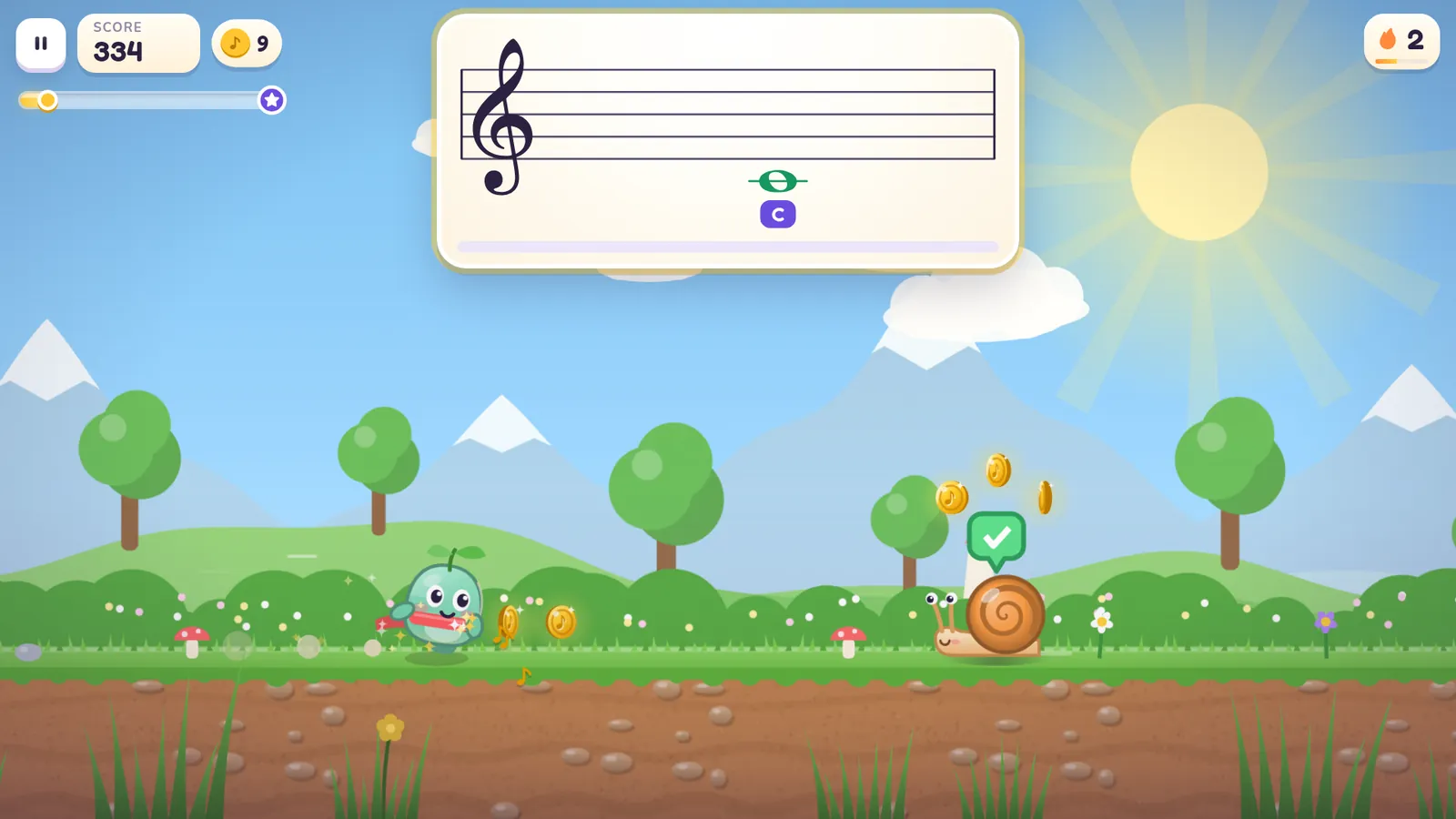 World 1Sunny Sonata Meadow
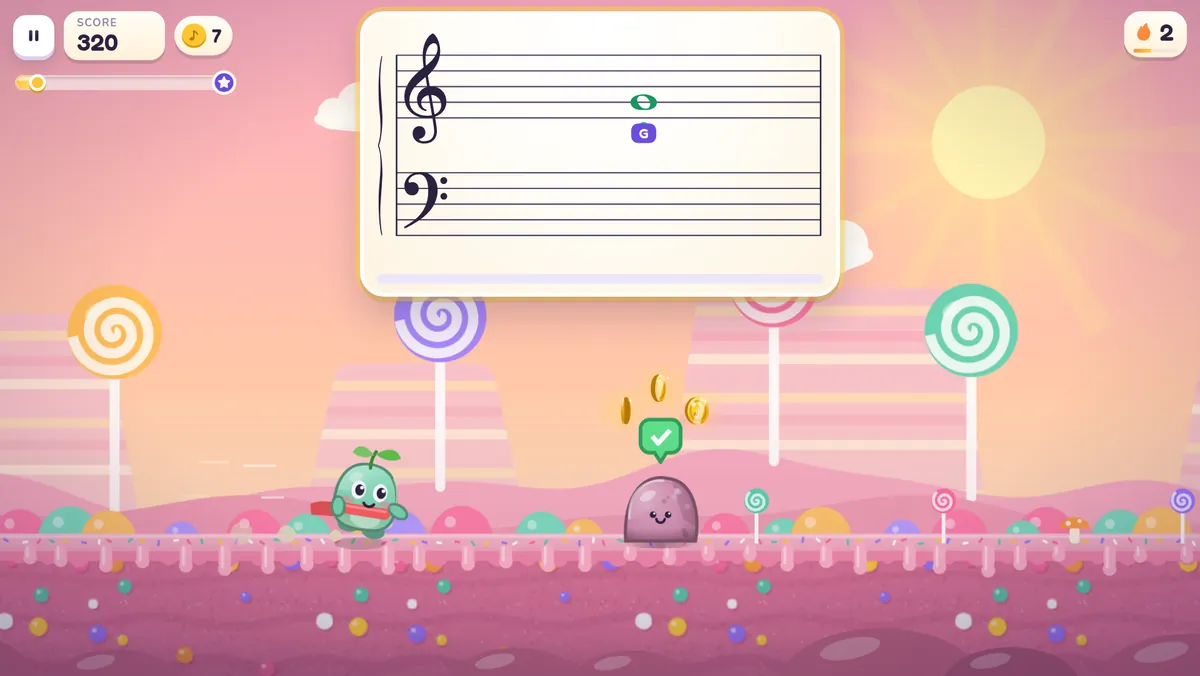 World 2Candy Rhythm Canyon
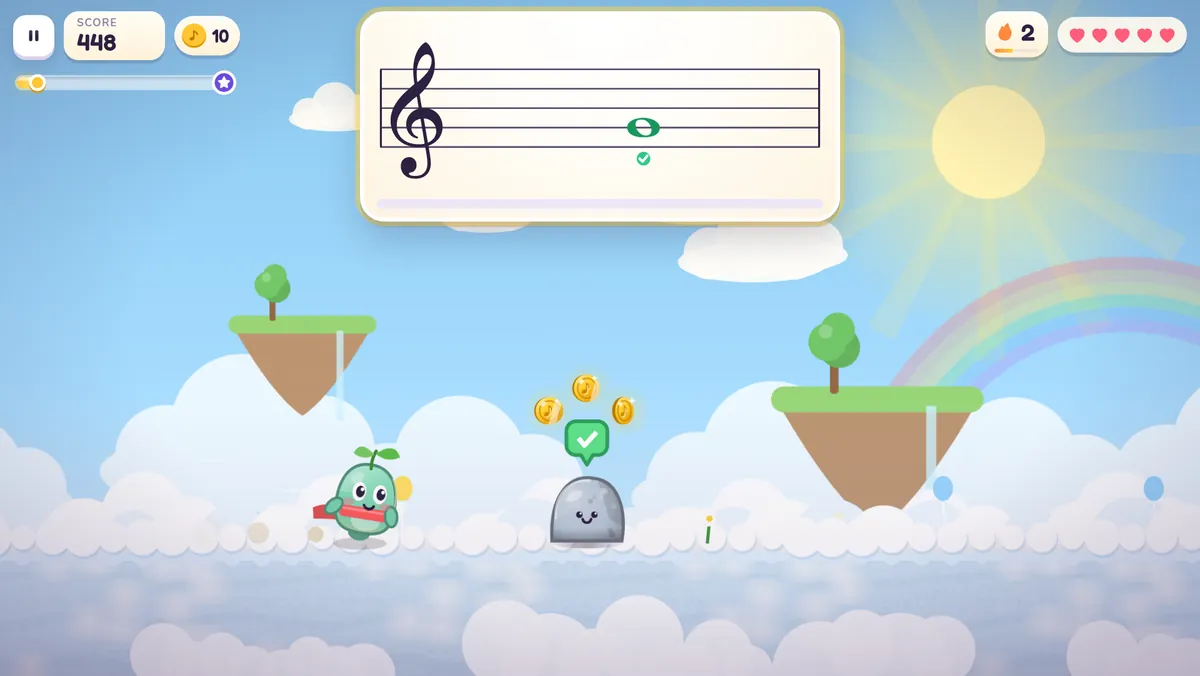 World 3Cloud Choir
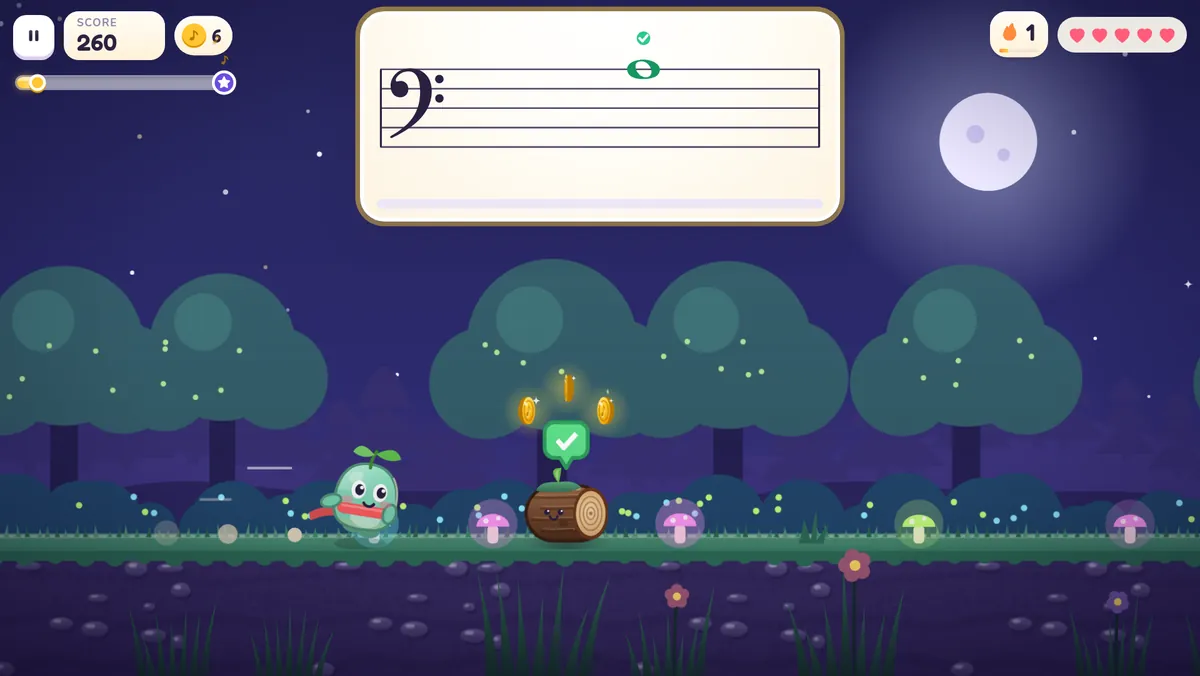 World 4Whispering Note Forest
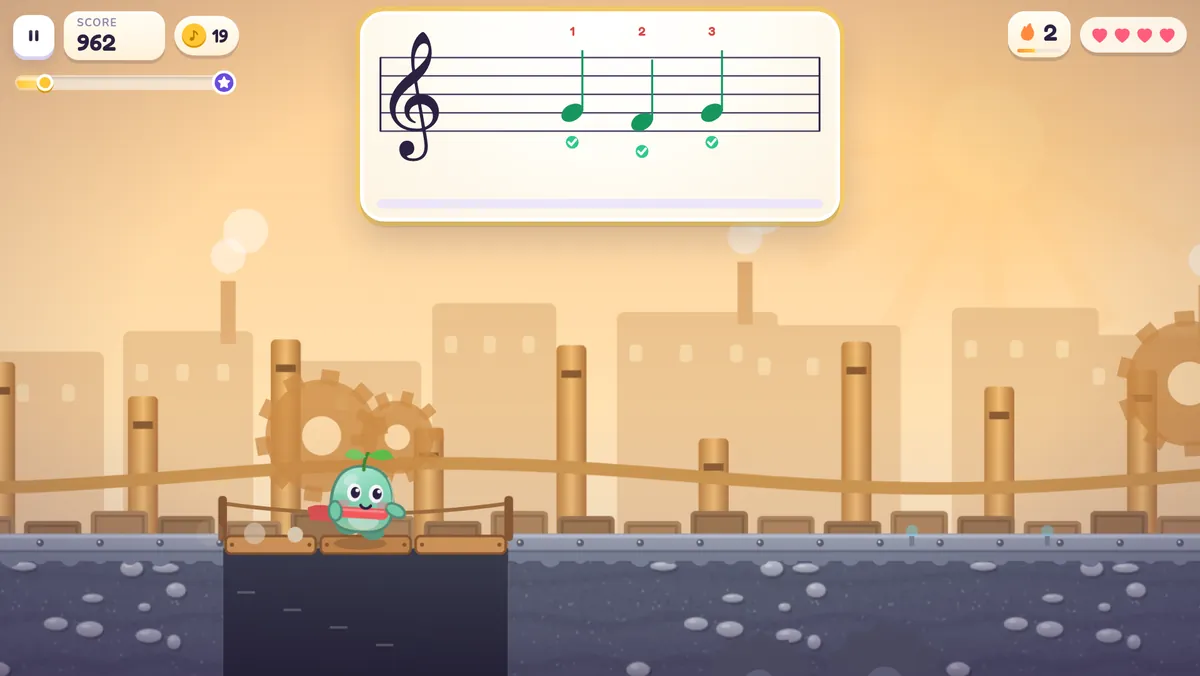 World 5Clockwork Symphony
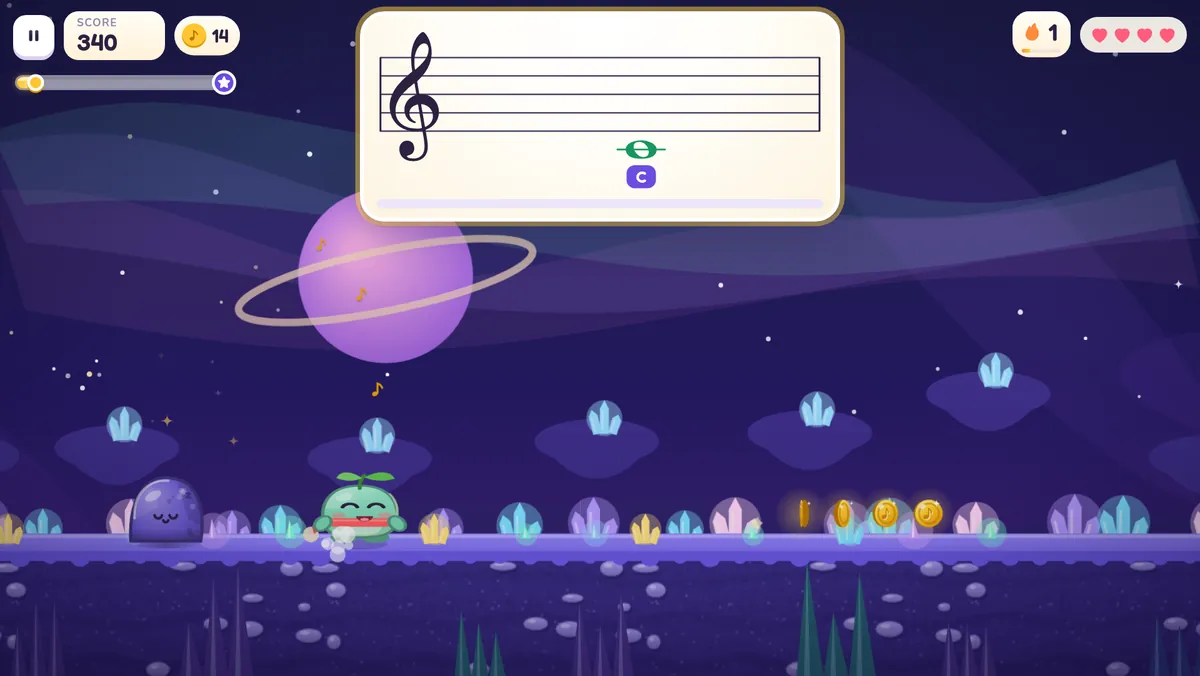 World 6Starlight Orchestra
Any acoustic or digital piano, heard through the microphone, with a one-minute check for pianos that are a little out of tune. USB MIDI keyboards and computer keys work too.
From Middle C in the meadow to wide-range reading among the stars: treble and bass clef, ledger lines, sharps, flats and a little rhythm. Each world ends with a friendly boss.
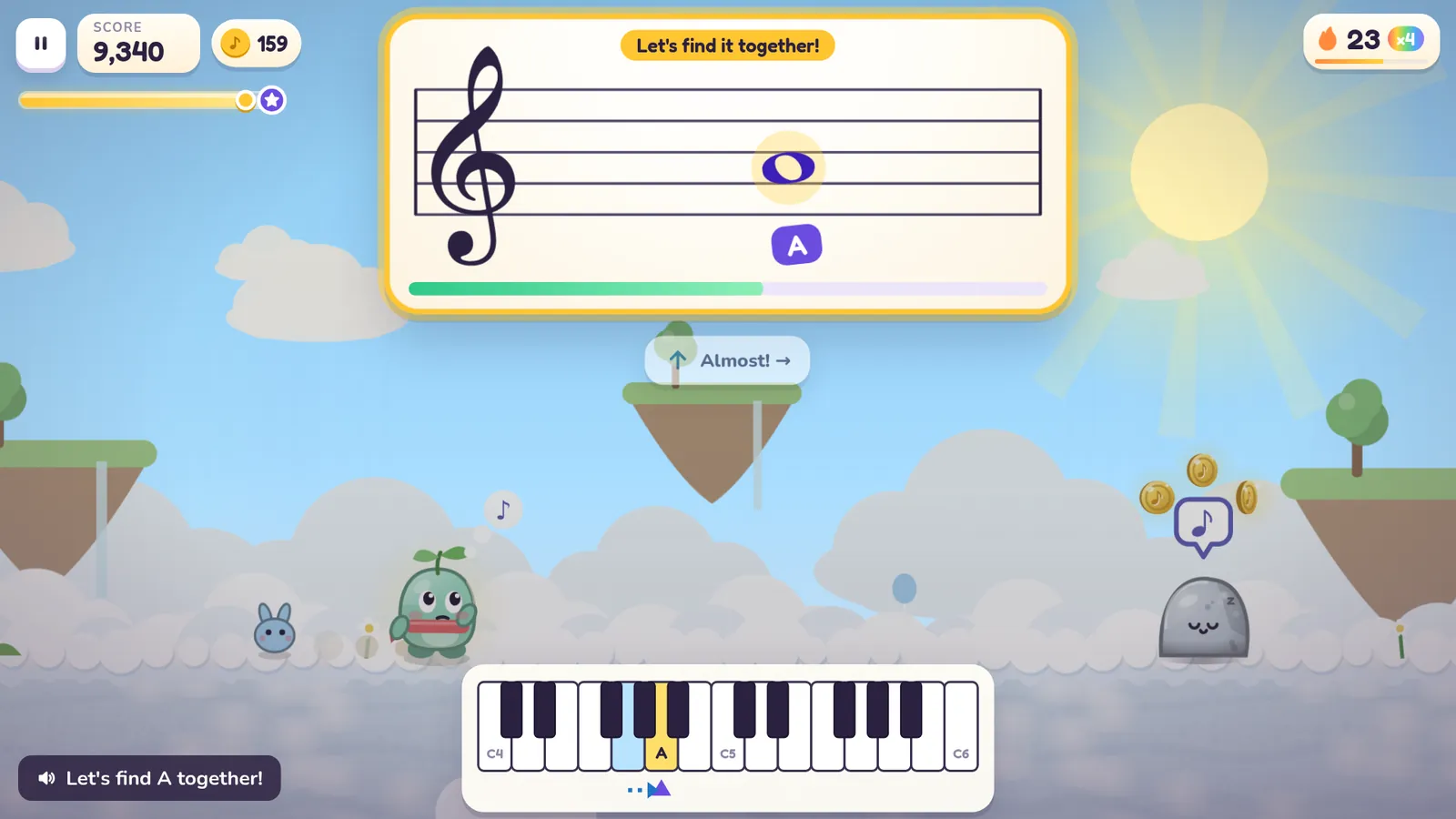
Notes your child finds tricky come back sooner. Notes that get mixed up, like F and G, are practised side by side. Hints appear when they’re needed and fade when they’re not.
There is never a buzzer. Wrong notes get specific help: Almost! You played E. Try one key to the right.
On the first levels, the world simply waits.
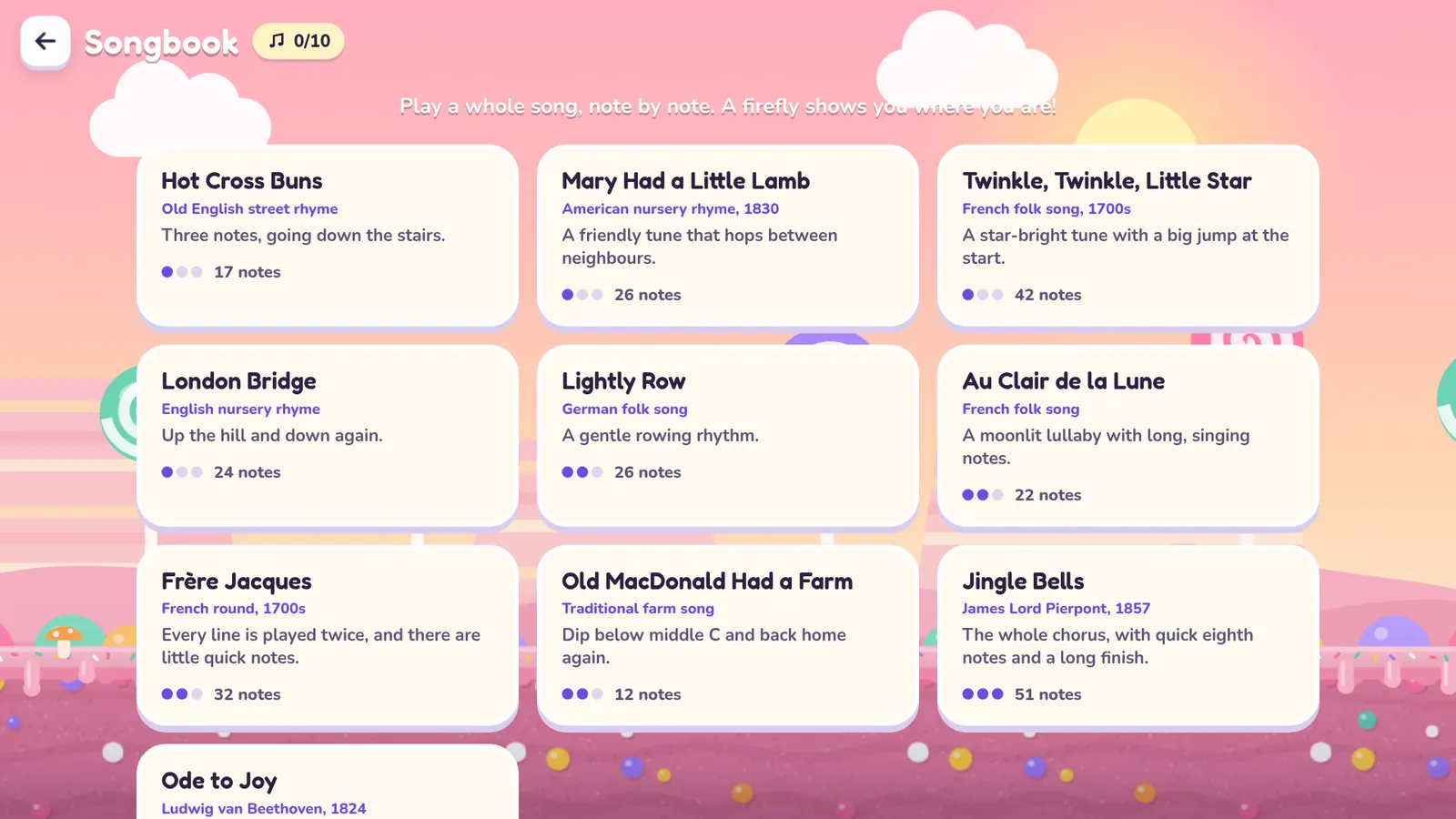
Ten classic songs, from Hot Cross Buns to Ode to Joy, with a firefly that guides the way. Photograph a page from a lesson book and Keybound turns it into a level.
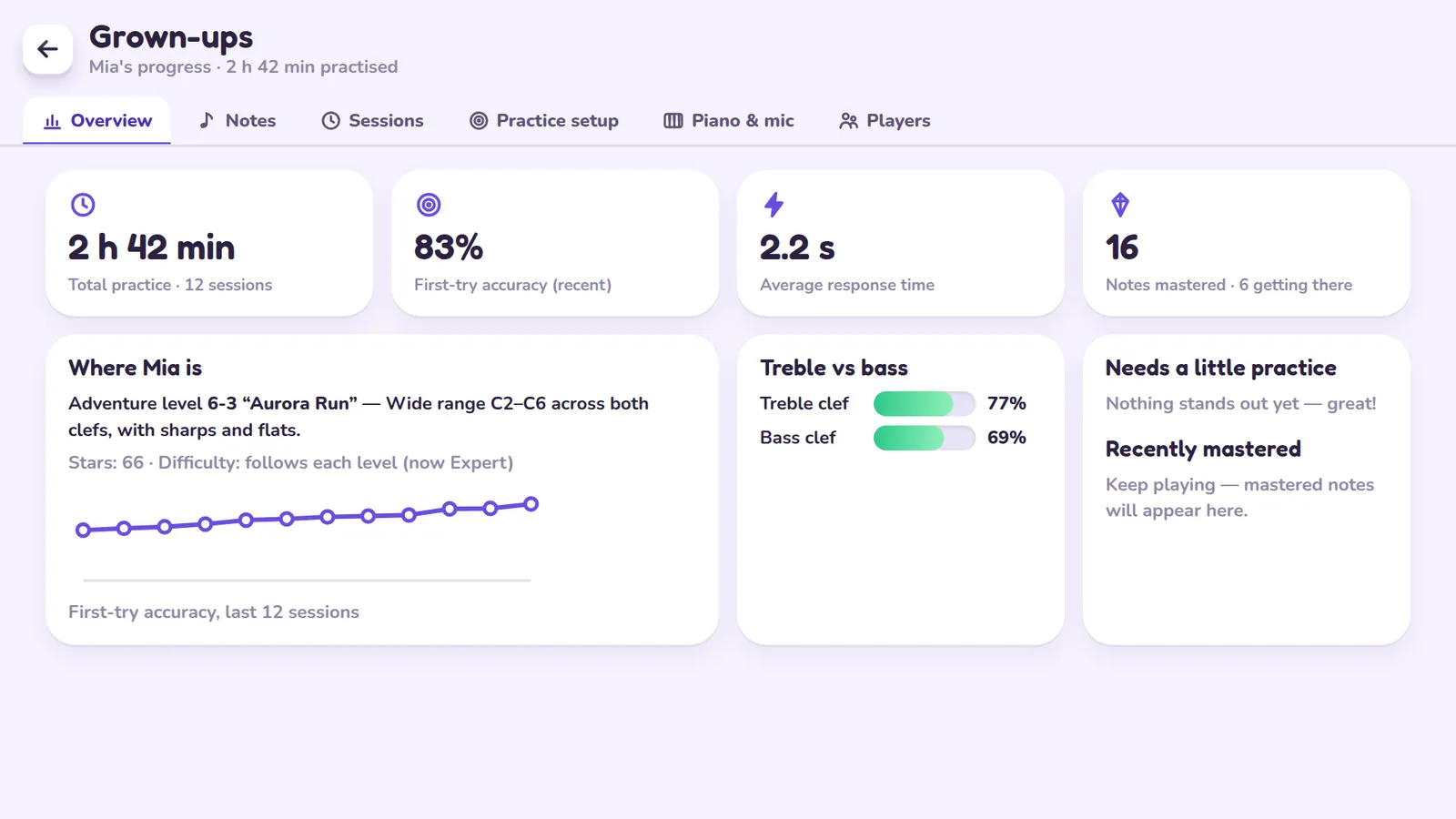
First-try accuracy, response time and a key-by-key map of what’s mastered and what needs practice, behind a press-and-hold grown-ups door.
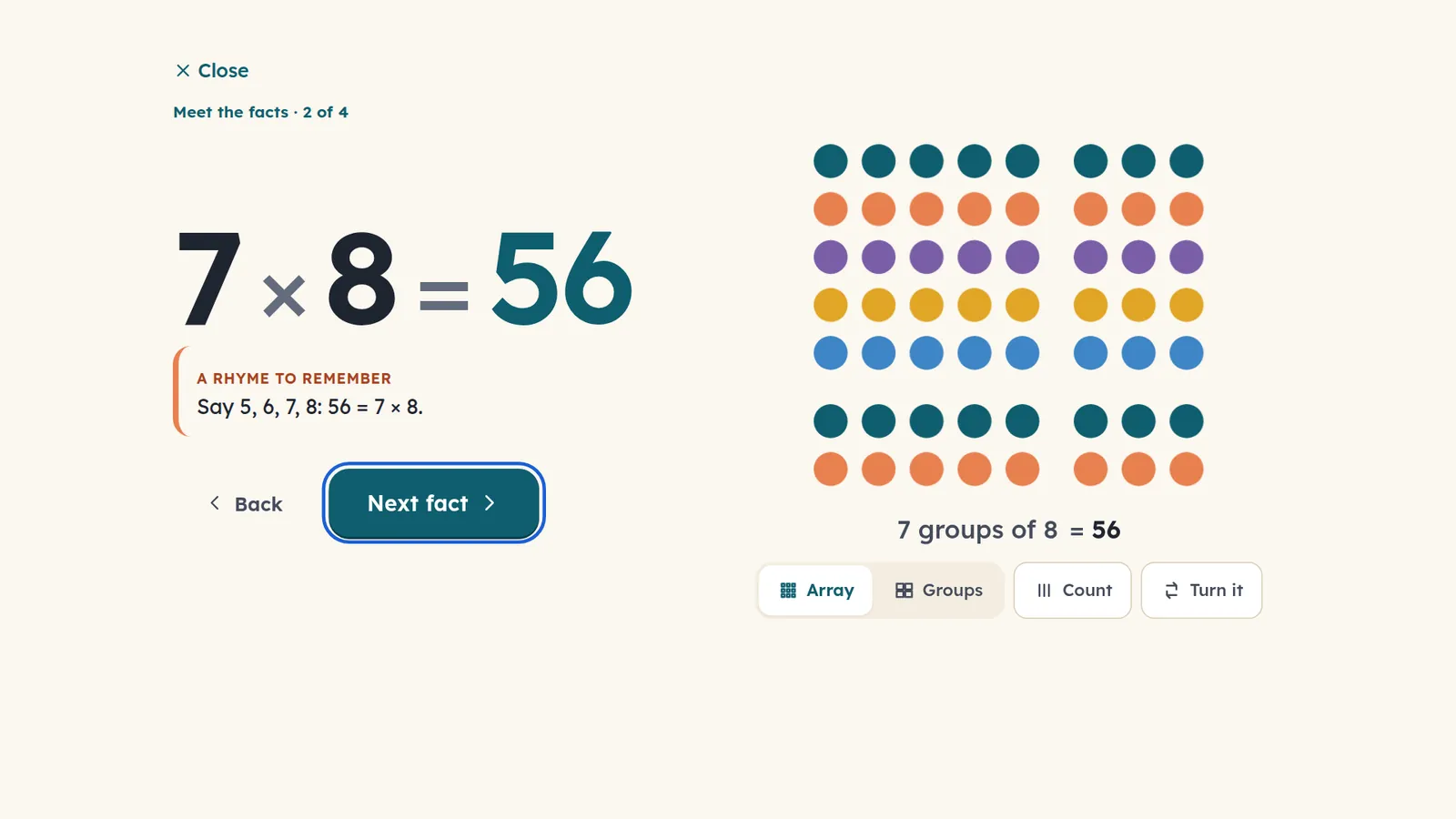
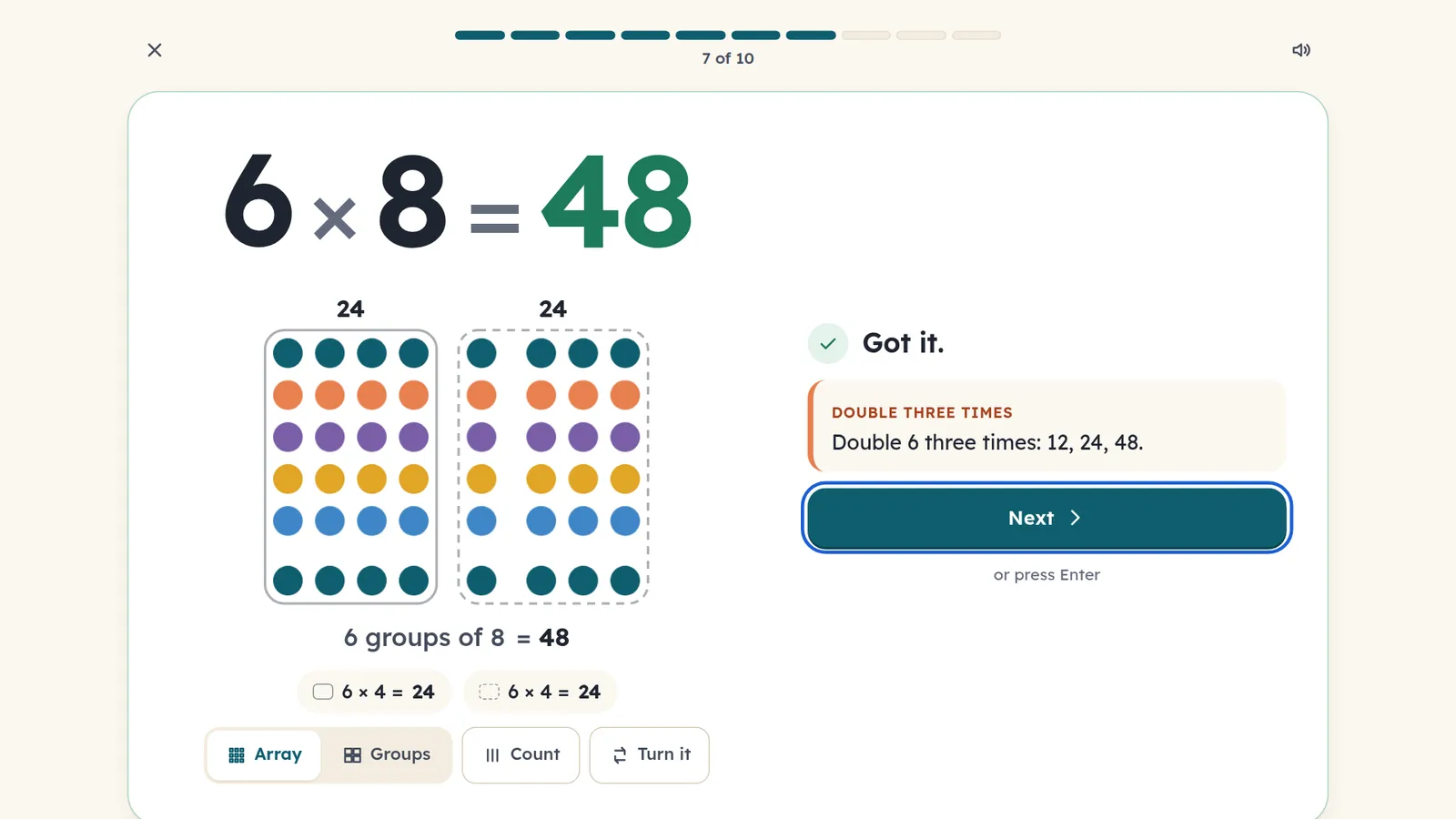
Dotwise shows what 7 × 8 really means, with rows and groups of dots. It teaches a strategy for working each fact out, then uses short, spaced practice until the answer comes in seconds. Ten questions take about three minutes.
Every new fact arrives as a picture: 7 groups of 8, in rows you can count.
A strategy that makes sense, such as 9 × 7 is one 7 less than 10 × 7.
The picture becomes a hint you can open, then it goes away entirely.
Quick, mixed questions, spaced out over 1, 3, 7 and 21 days so facts last.
Not quite. 10 × 6 is 60. You said 66. That’s a useful one to see.
The fact comes back a few cards later, with the picture.
Getting 6 × 7 right gives 7 × 6 a head start, because it’s the same fact turned around. Both are still checked on their own.
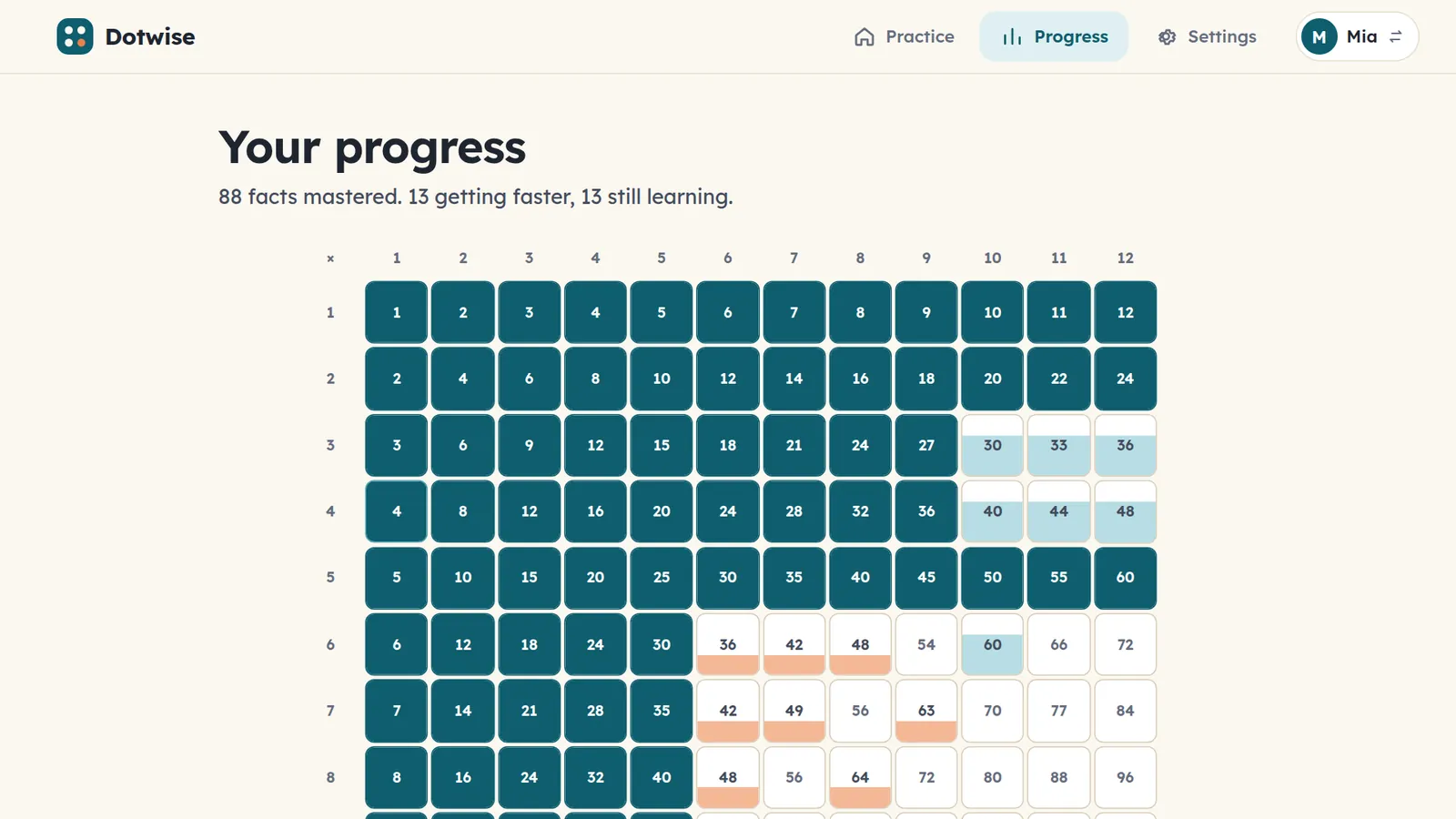
One grid shows every fact from 1 × 1 to 12 × 12, from just starting to mastered, plus the week’s practice days.
From first sight words to nuanced SAT prep, Lexcursion guides children through a personalized Word Journey. It blends new vocabulary, spaced review, and practice on tricky roots—adapting from playful picture-and-sound for the youngest to rich morphology for older students.
adjective · able to withstand or recover quickly from difficult conditions.
Young learners start with phonics, pictures, and pronunciation. As students grow, practice evolves to prefixes, Latin roots, shades of meaning, and college-ready vocabulary.
Words don't vanish after one quiz. Spaced intervals (1, 3, 7, and 21 days) ensure new words move into permanent working vocabulary and fluent reading.
No timers, no streak guilt, and no distracting game noise. Just warm, focused learning designed to build genuine love for language.
How Cylin apps teach
All three apps follow the same six rules. They come from how memory and motivation work, not from what keeps a child on a screen longest.
Children see what a note or a fact means before they’re asked to be quick. Speed comes later, and only once accuracy is there.
Keybound: stars reward accuracy, never speed. Dotwise: pictures first, fast facts last.
Little and often beats long and rare. Sessions are sized so a child finishes wanting one more, not needing a break.
A Keybound level: 2–4 minutes. A Dotwise session: 10 questions, about 3 minutes.
Each app tracks every note and every fact on its own, then brings back the ones that need it, sooner, while mastered ones still return now and then.
Spaced review, mixed practice and contrast pairs, chosen live as your child plays.
Hints appear when a child is stuck and step back as they improve, so support never turns into a crutch.
Letter names, keyboard diagrams and dot pictures fade on their own.
No buzzers, no red crosses, no lost streaks to mourn. Feedback says what happened and what to try next.
“That one was B4. You’ll get it next time!”
Stickers, hats for Pip and a filling progress grid celebrate real learning. Nothing is for sale inside the apps.
No coins to buy, no timers to wait out, no ads.
For parents
No guessing, no arguing about whether practice happened. Each app has a calm, clear view for grown-ups.
Family Hub
A calm parent portal to manage your children, track learning progress, and launch all three apps.
Create a parent account in under a minute. Add your children, set a private PIN, and unlock full access across all devices without entering a credit card.
Questions
Parents sign in once at hub.cylin.app and set up their family profiles. Once signed in on a tablet or computer, your children can immediately launch Keybound, Dotwise, and Lexcursion directly from the Hub without ever needing their own accounts or passwords.
All three apps run in a current web browser on a computer or tablet: Chrome, Edge, Safari (Mac and iPad) and Firefox. Dotwise and Lexcursion also work cleanly on phones. Keybound’s USB MIDI option needs Chrome or Edge; the microphone and computer-keys modes work everywhere.
Any acoustic or digital piano or keyboard works. Keybound listens through the device’s microphone, and a one-minute check teaches it your piano, even one that’s a little out of tune. No piano nearby? The computer keyboard works as a piano too.
No. Keybound starts with Middle C and a few neighbouring notes, with big letter names and a keyboard diagram. Those hints fade as your child learns, and the six worlds build up to both clefs, ledger lines, sharps and flats.
Yes! In the Cylin Hub, you can add each child with their own name and avatar color. Each child gets their own player in Keybound, their own card progress in Dotwise, and their own Word Journey in Lexcursion.
None. Children never create accounts or submit personal info. Only you as a parent have an email login in the Hub. Sound in Keybound is processed entirely on your local device and never transmitted anywhere.
A few minutes a day works better than a long session once a week. One Keybound level (2–4 minutes), one Dotwise session (about 3 minutes), or one Lexcursion Word Journey is a great daily habit.
Sign in to the family hub to unlock all three apps. A few minutes a day is all it takes.