

Subtractionby Cylin
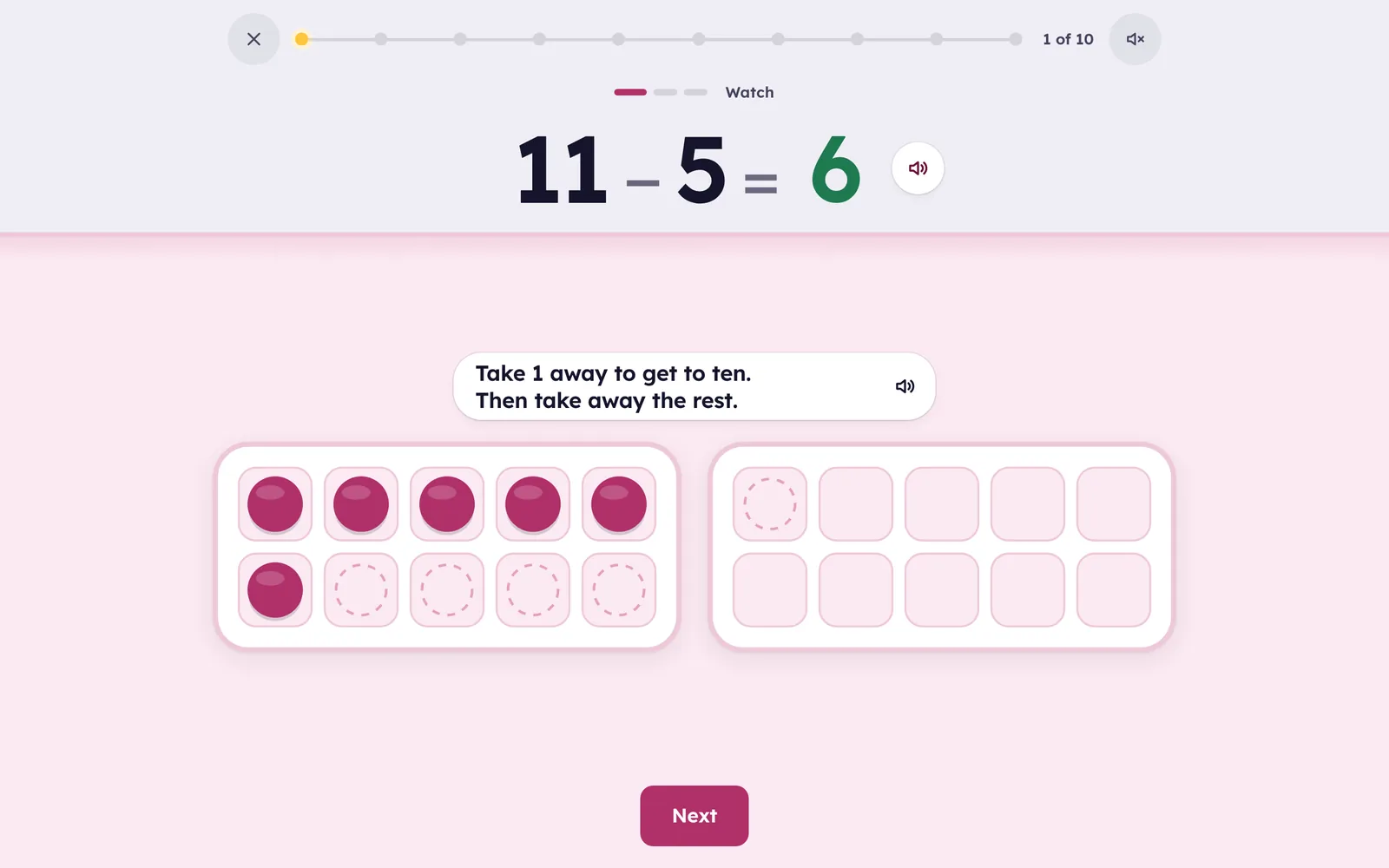
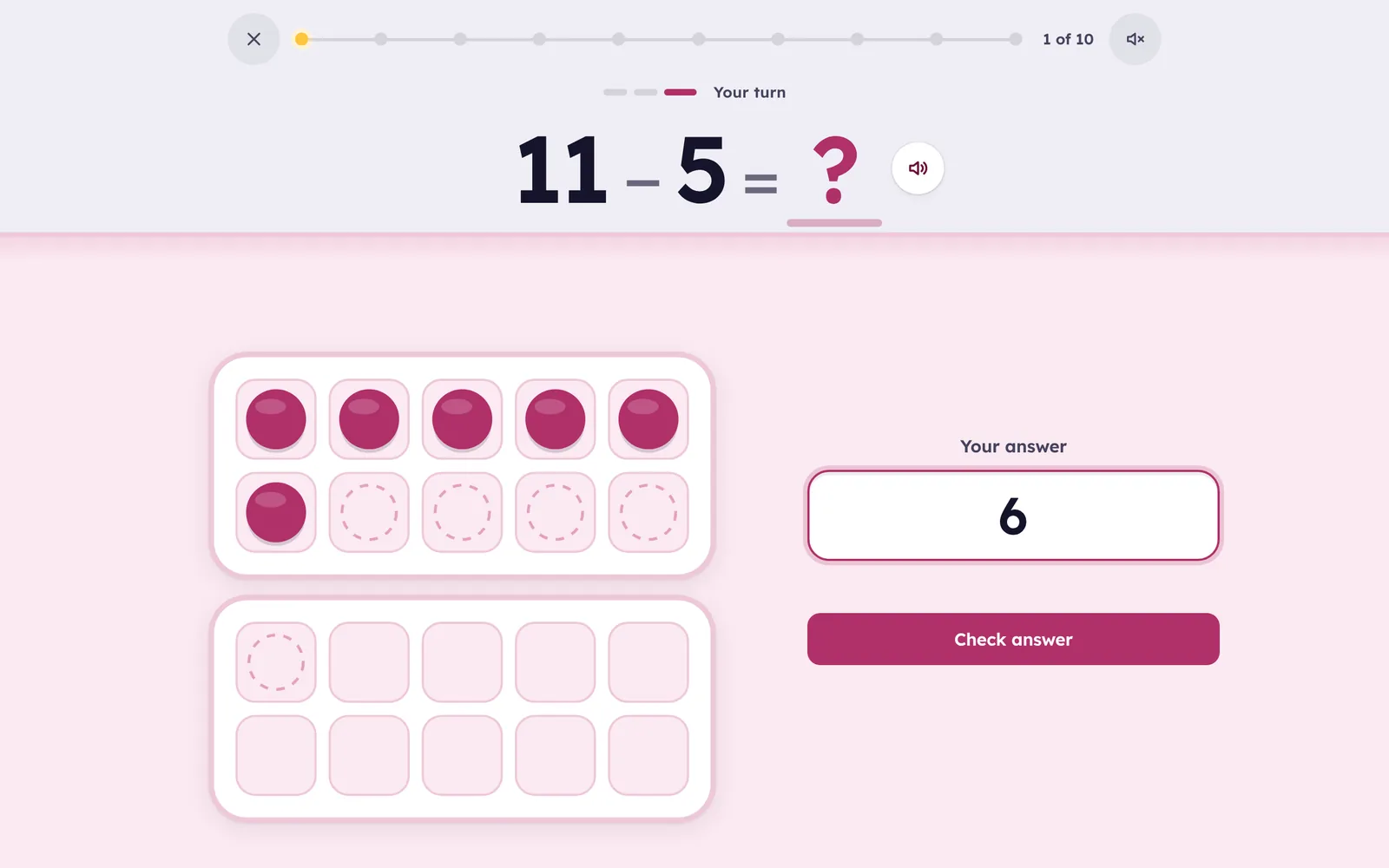
Taking away to 20, seen then known. 11 − 5 is eleven counters in ten frames with five taken away: one to get to ten, then the rest.
Seen first, then known
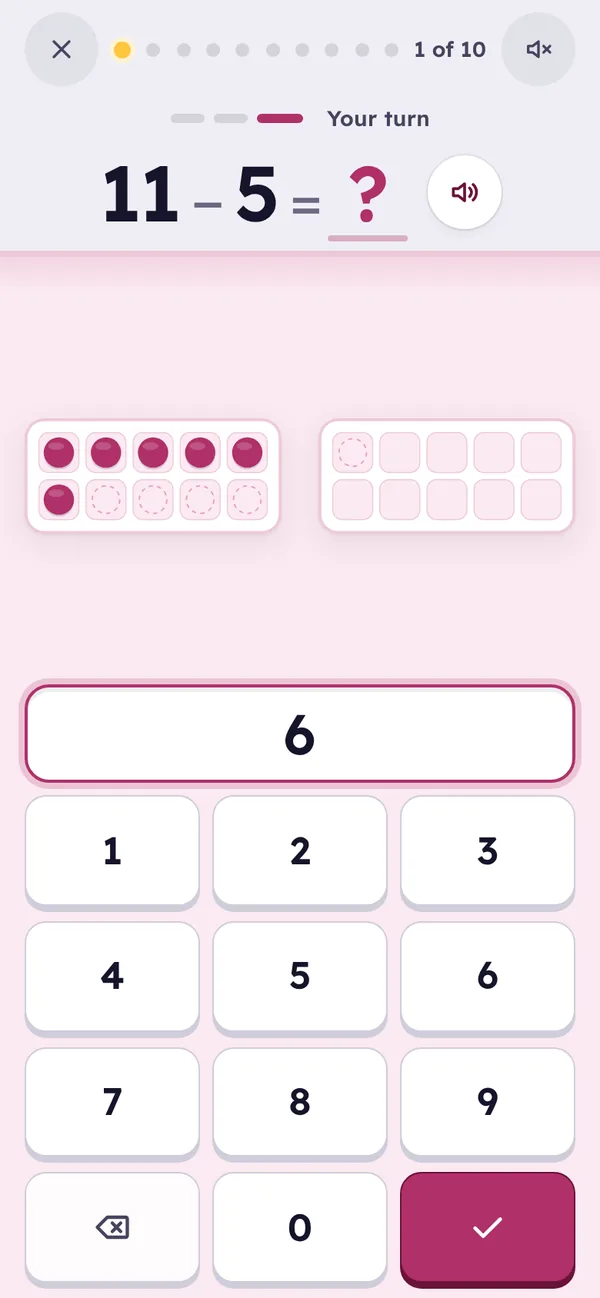
- Every fact starts as a picture: 11 − 5 is eleven counters in ten frames with five taken away, so what is left can be counted.
- All 121 facts within 20, the exact inverse of Addition’s. No answer is ever negative.
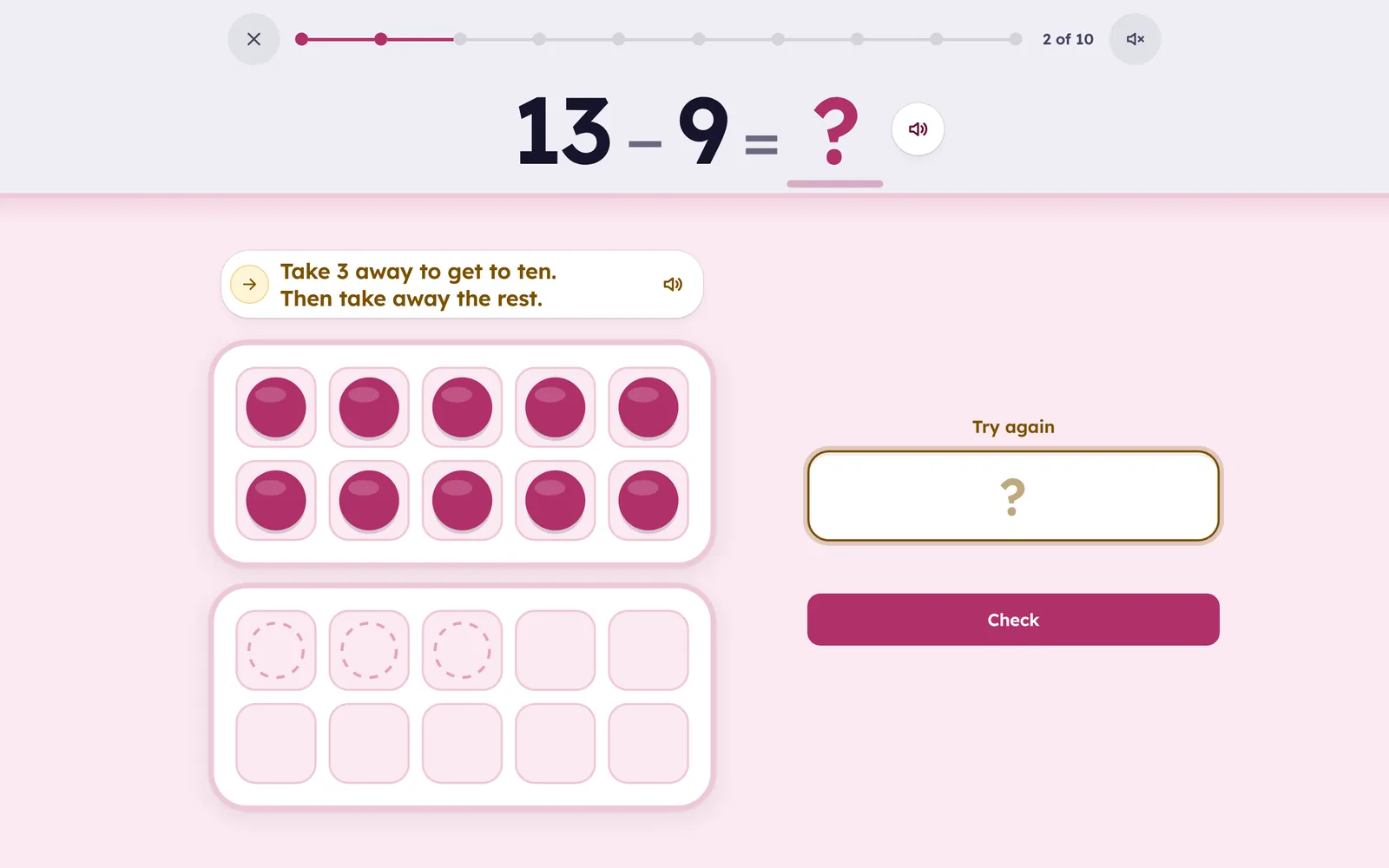
- A strategy for each fact: one less, take away the ten, count up when the numbers are close, take away to 10 then the rest, think addition.
- Practice on paper too. Print a Smart Sheet of the facts your child finds hard, with borrowing when they are ready for it, then photograph it and it’s graded for you.
 Cylin Hub
How it teaches
A sensible order. Taking away 1, 2 and 10 first, then 5, 9, 3, 4, 8, 6, 7, and taking away 0 last; inside each set, small answers first.
Subtraction can’t be turned around, so unlike Addition no fact earns credit from another. The related facts appear in the hints instead: 9 − 4 is “think addition: 4 + 5 = 9”.
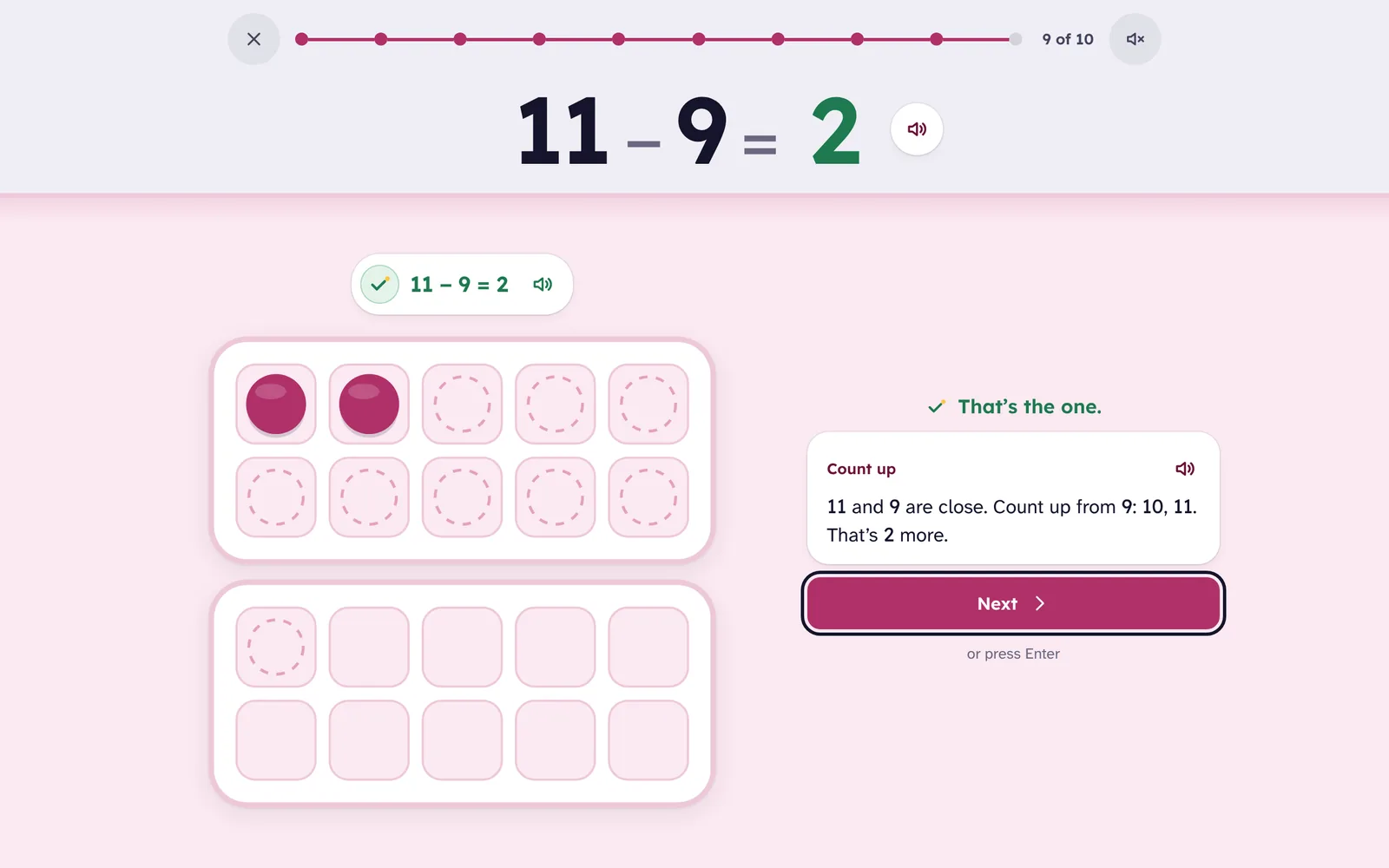
Taking away, seen. The counters taken away leave their outlines in the ten frames, and going by way of ten shows itself: 11 − 5 is 1 away to get to ten, then the rest. When the numbers are close the hint is to count up, because 11 − 9 is two hops from 9, not nine taken away.
Then fast recall. Once a fact is understood it is practiced as an equation, spaced and mixed with others. A fact moves up only when it is answered right, quickly, and when it is due; a miss brings it back a few cards later.
Questions
What does “beta” mean here?
The app is complete and families use it; we are still polishing and still listening. It is free during the beta, like every Cylin app.
Should my child do Addition first?
It helps: the hints lean on addition facts, and the two apps cover the same numbers. But a child who already adds to 20 can start here.
Does it work on a phone?
Yes. Progress follows the child to a tablet or laptop through the family account.
What parents see
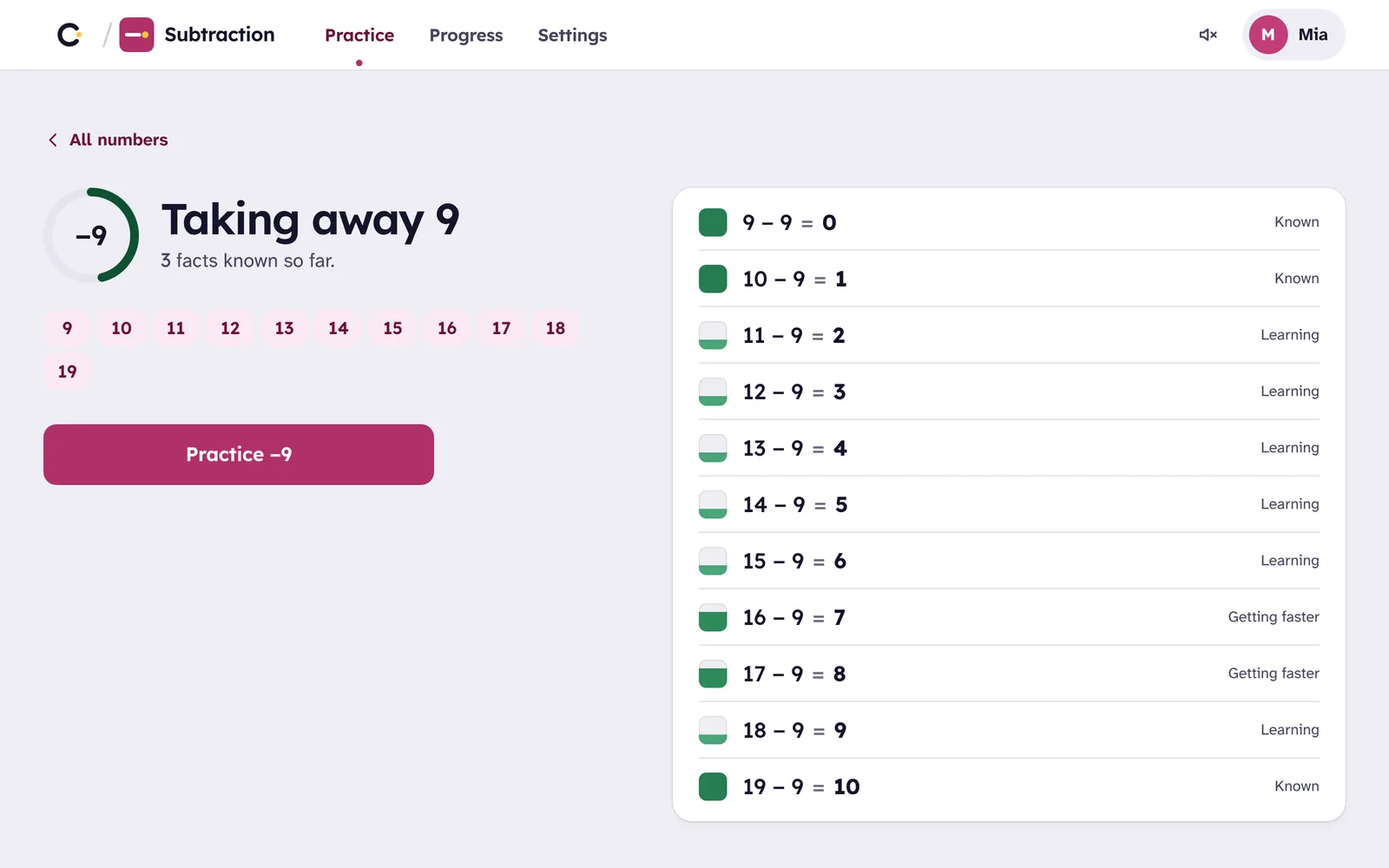
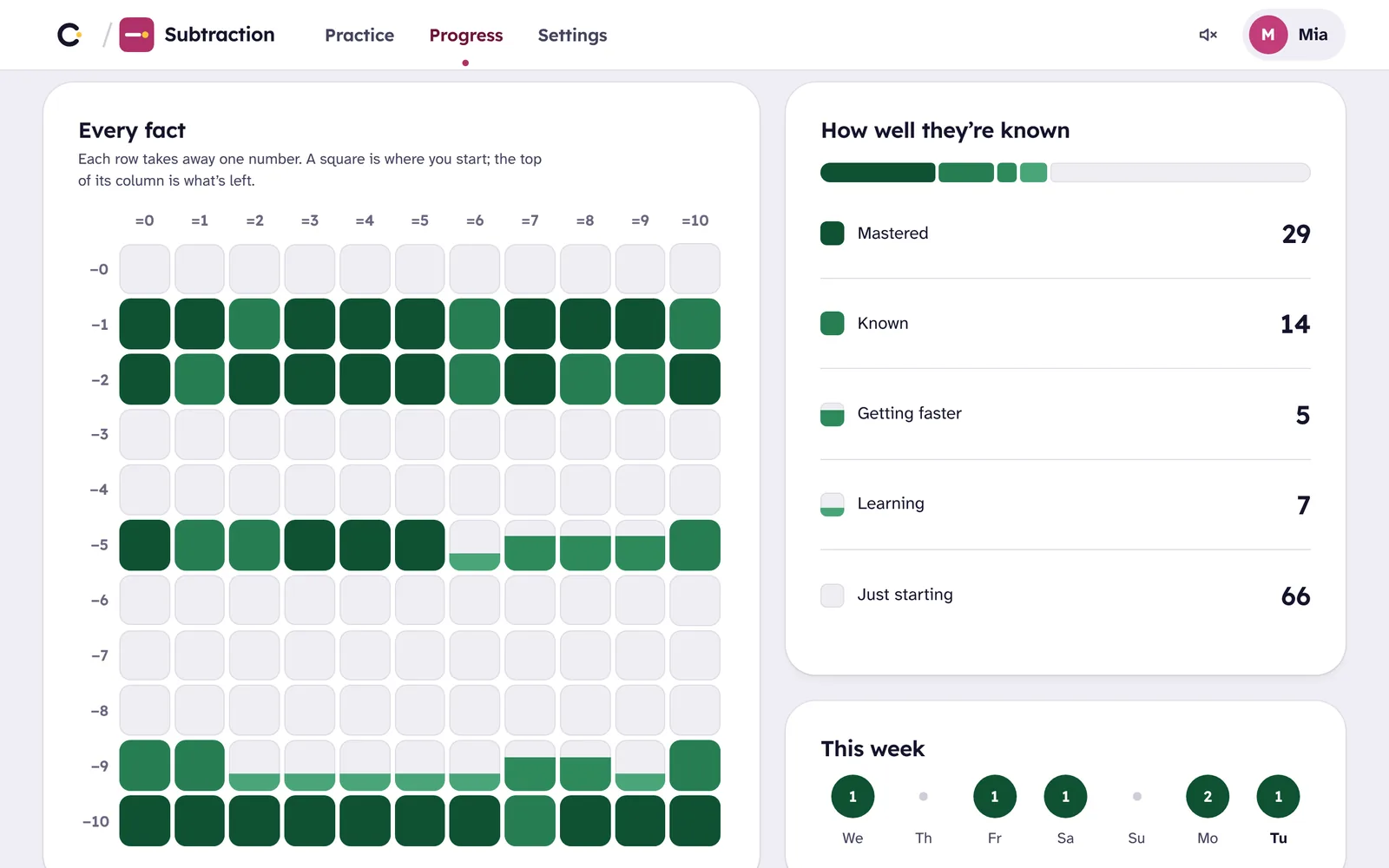
In the app, behind your Cylin parent PIN: every fact in a grid, colored as it is learned, and the Settings with “Print a worksheet”, which opens Cylin Hub with this child and this app already chosen.
In Cylin Hub, beside the other subjects: facts known and facts remembered a week later, the change this week, what the child is working on, the facts worth a look, and a Smart Sheet one tap away. Marked worksheets show with their scores.
 Subtraction · Leo
- Remembered a week later49
- Still being learned22
- Working onTaking away 8
Worth a look
One skill, then the next
From adding to 20 at five to dividing up to 12 × 12 at eleven. Each app builds on the one before, and one family account opens all four.
 AdditionAges 5–8
- SubtractionAges 6–9You’re here
 MultiplicationAges 7–11
 DivisionAges 8–11