

Multiplicationby Cylin
Times tables that make sense first, then stick. 7 × 8 is seven rows of eight tiles a child can count, before it is something to remember.
Seen first, then known
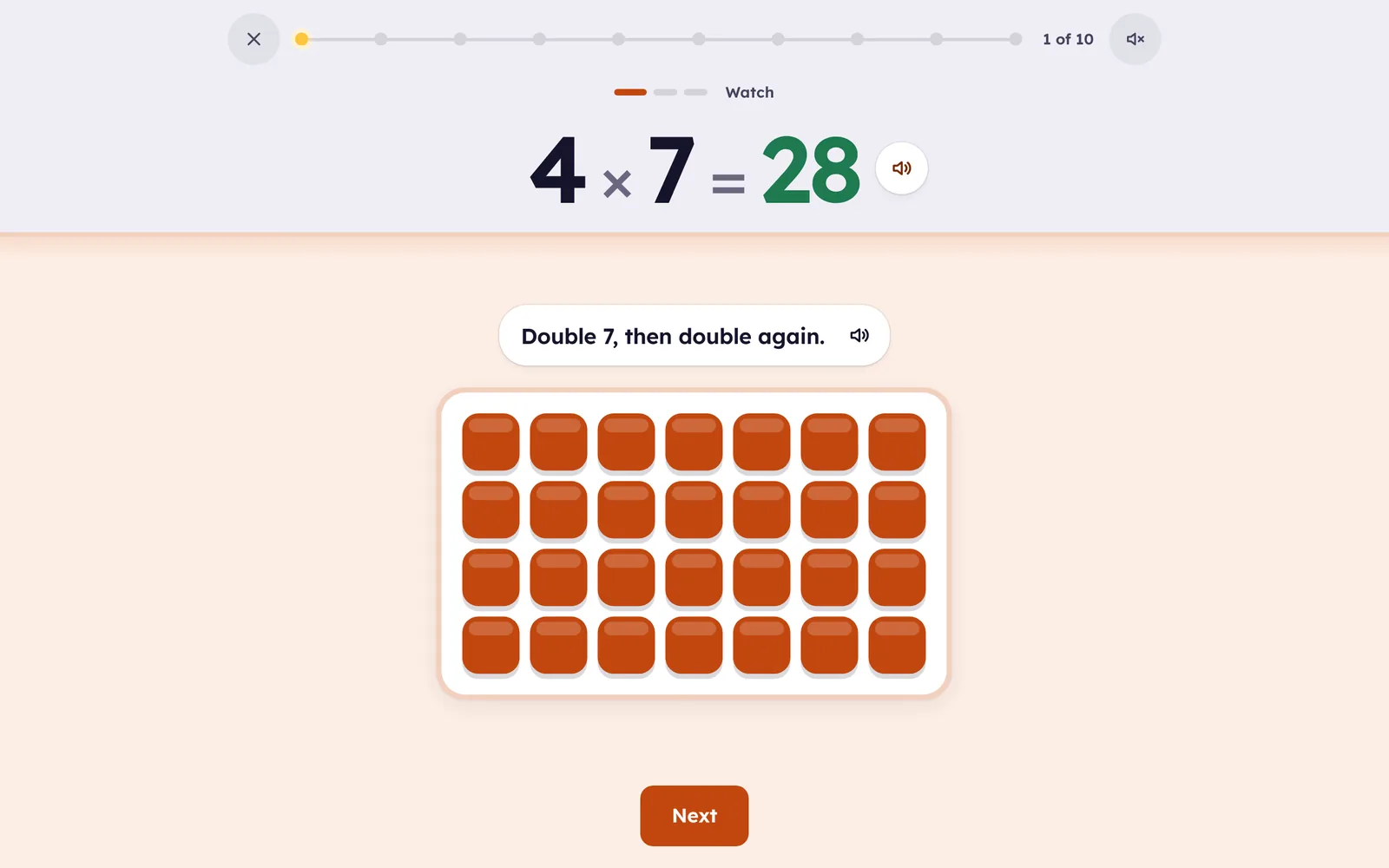
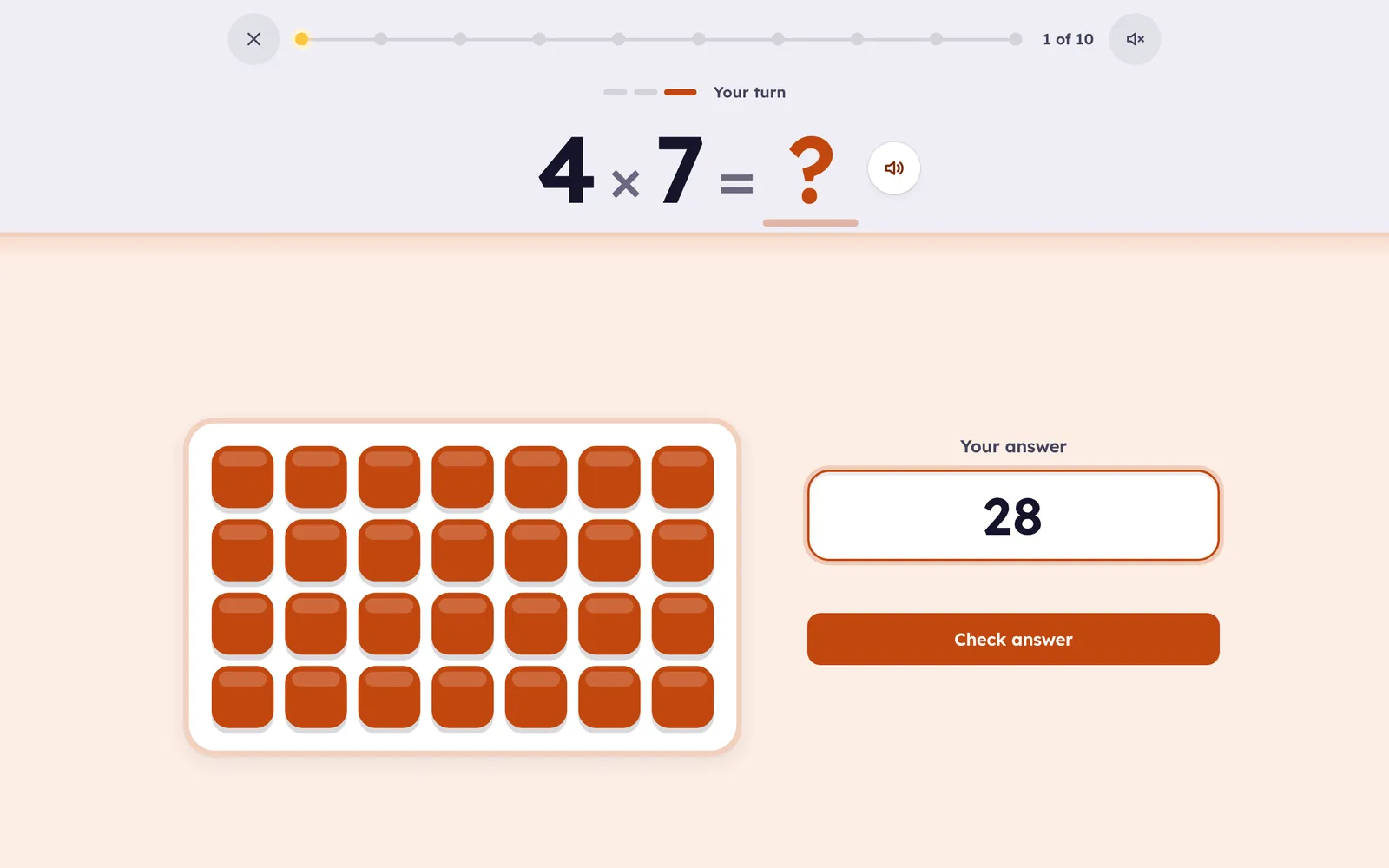
- Every fact starts as a picture: 4 × 7 is four rows of seven tiles you can count, with a line to go with it: double 7, then double again.
- A strategy for each fact, then short, spaced practice until the answer comes in seconds.
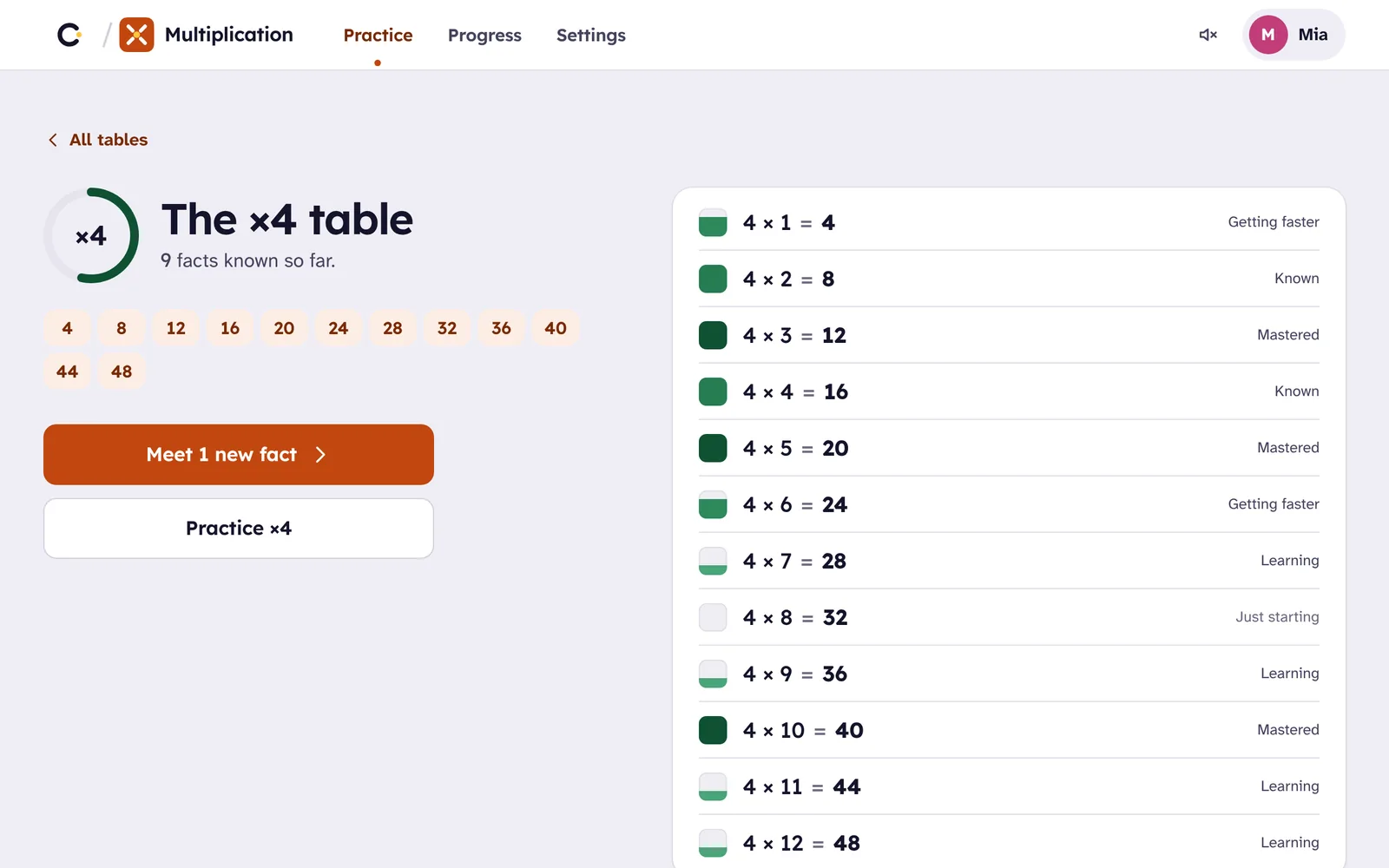
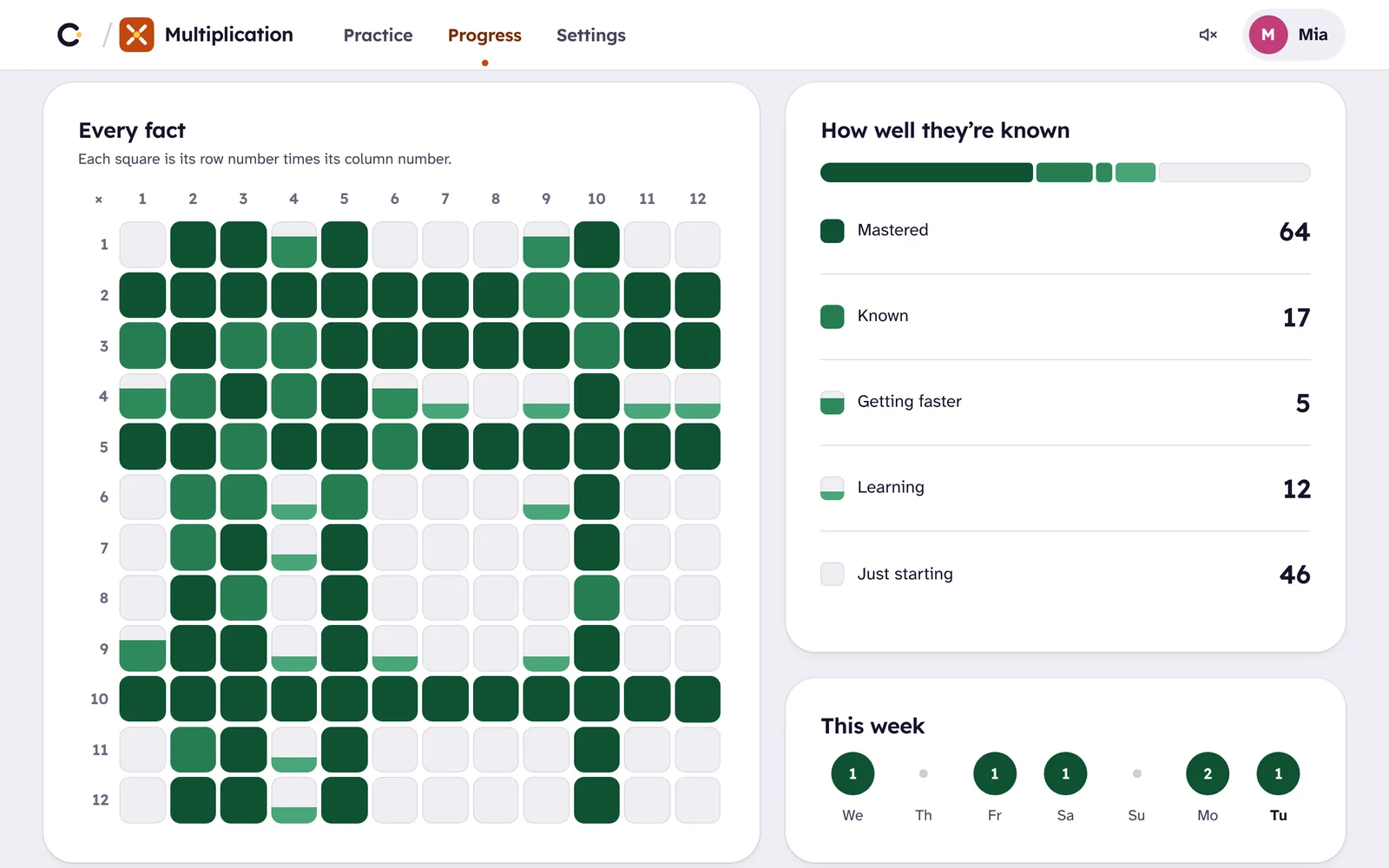
- All 144 facts in one grid, from 1 × 1 to 12 × 12, filling in as they’re learned.
- Practice on paper too. Print a Smart Sheet from the facts your child finds hard, then photograph it and it’s graded for you.
 Cylin Hub
How it teaches
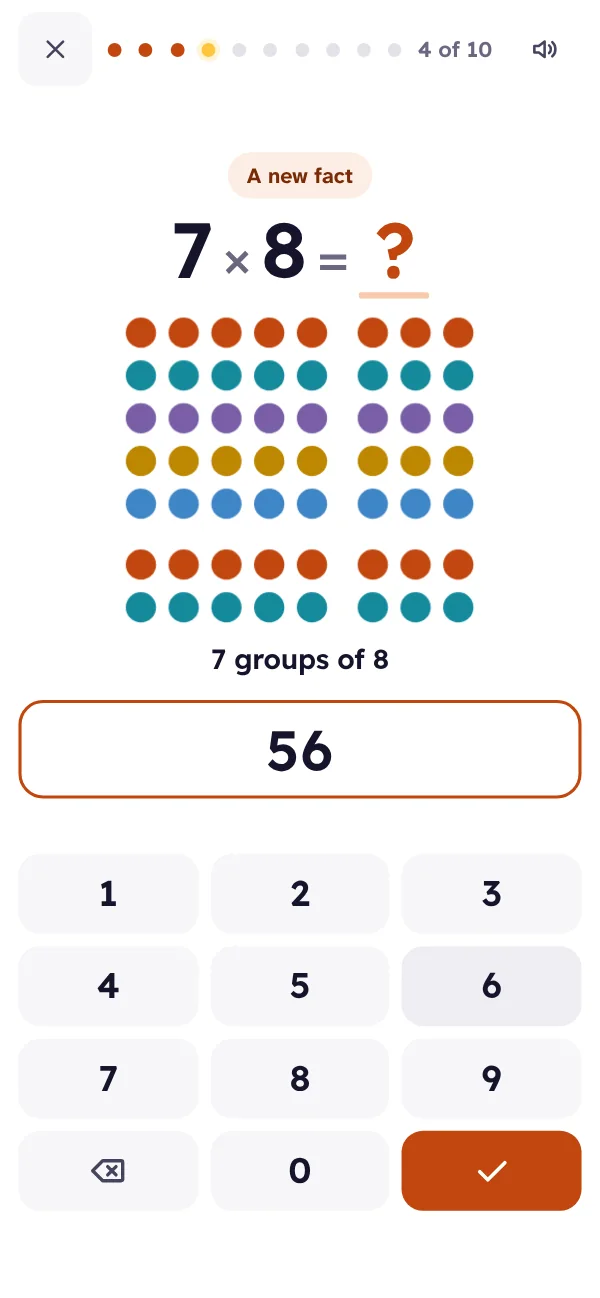
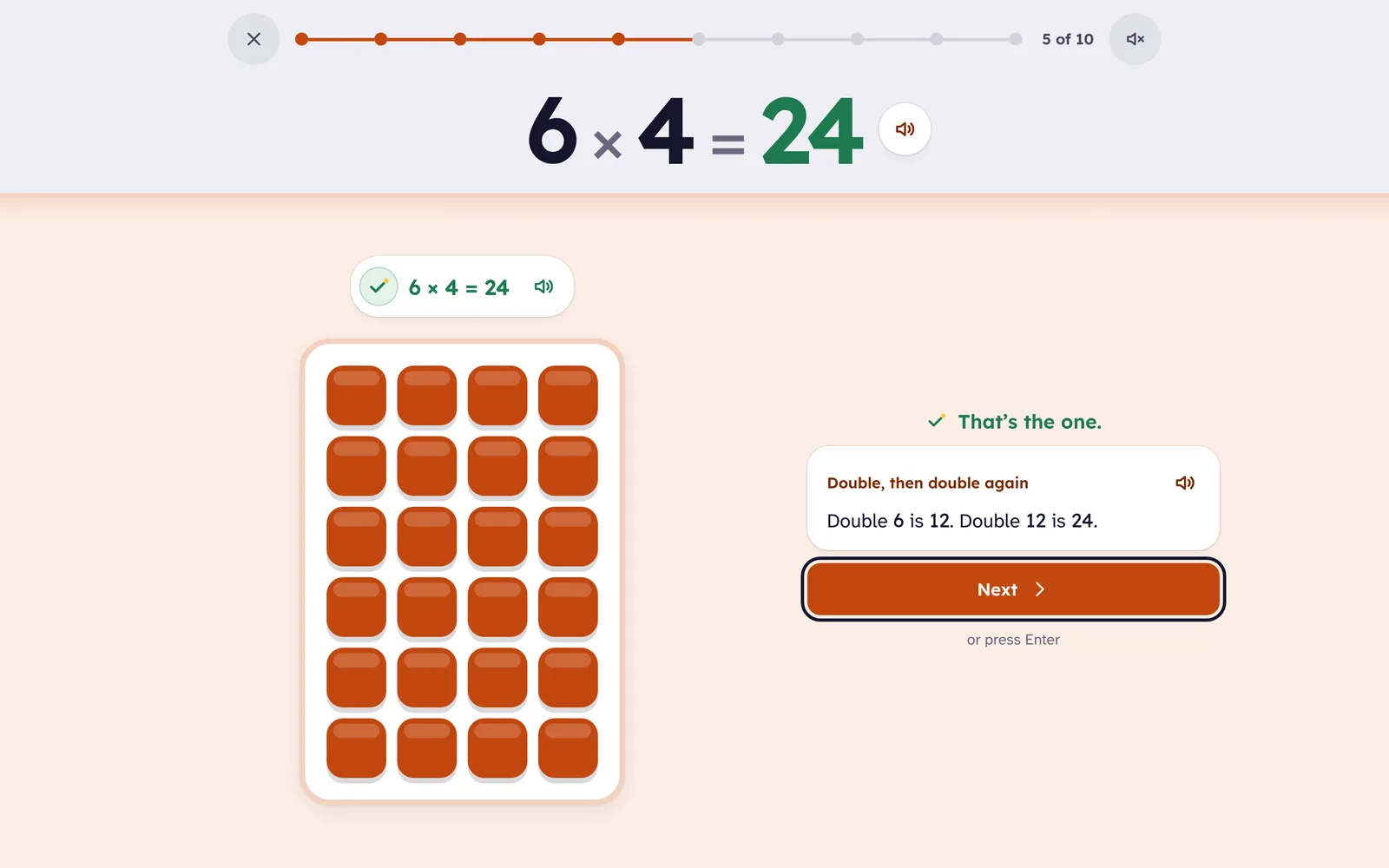
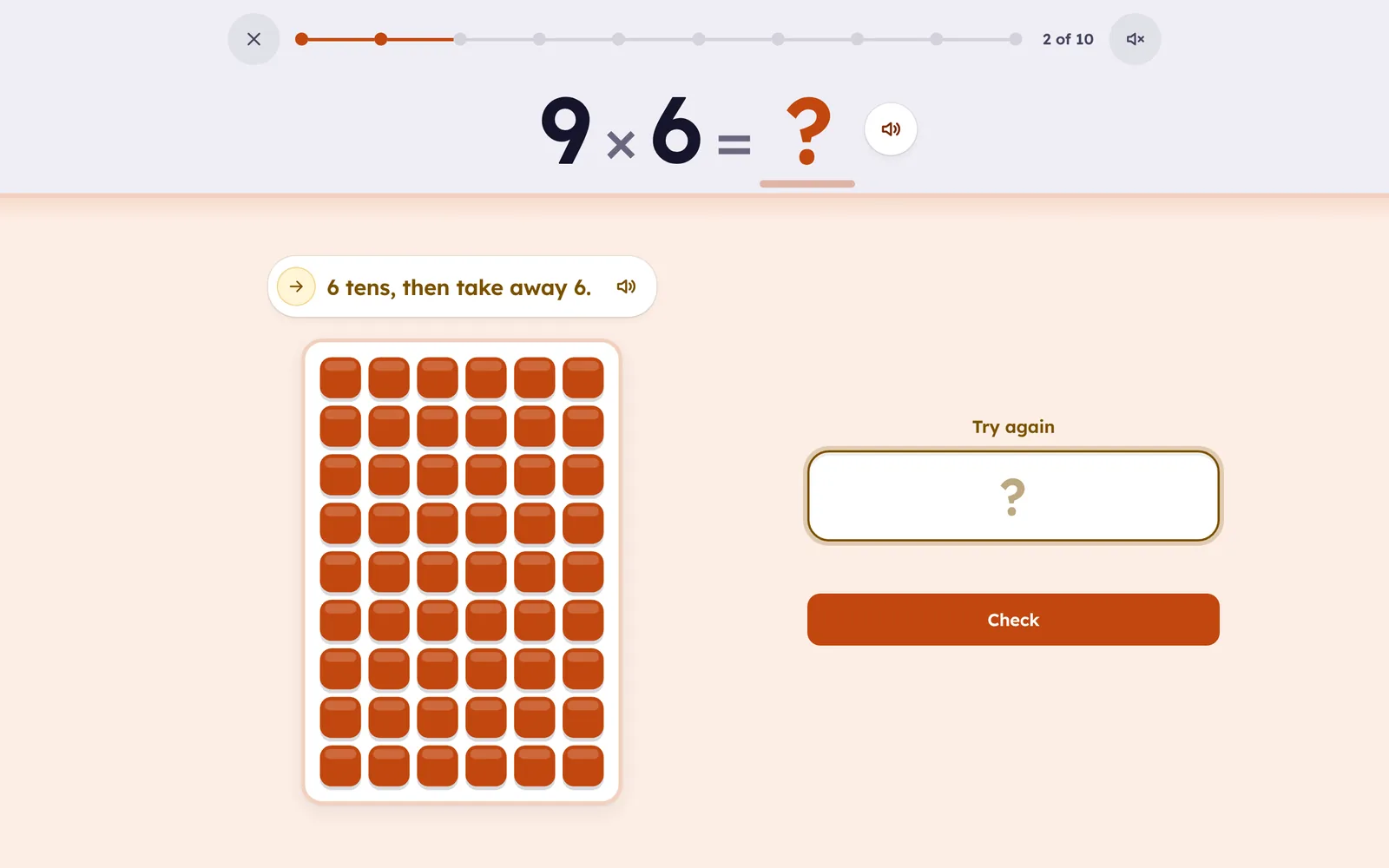
Pictures first. A new fact is met as rows of tiles: the child watches it, finishes it with a tap, then answers it, so 7 × 8 is something to see and count before it is something to remember. Then a strategy: times 2 is a double, times 4 is double then double again, times 10 is a ten and a zero, and 7 × 8 gets the rhyme five, six, seven, eight.
Then the picture fades. Once a fact is understood, it is practiced as an equation, and the picture is there on request. A fact moves up only when it is answered right, quickly, and when it is due; a miss gets the tiles, then a hint, before the answer is shown, and brings the fact back a few cards later.
Tables in a sensible order. 2s, 5s and 10s first, then 3s, 4s, 9s, 6s, 7s, 8s, 11s and 12s. 7 × 8 and 8 × 7 are partners, so learning one gives the other a head start.
Short sessions. Quick practice is about ten questions, three minutes. Learn a number, Mixed practice, Review and Fast facts open up as the grid fills.
Questions
How long should my child practice?
A session a day, about three minutes, works better than a long one on the weekend. The app ends a session on its own; it never asks for more.
What about a child who already knows some tables?
They skip ahead. A fact that is answered right and fast moves up on its own, and the grid shows what is left.
Does it work on a phone?
Yes. The tiles and the number pad fit a phone screen, and progress follows the child to a tablet or laptop through the family account.
Was this app called Dotwise?
Yes. New name and new address; the old one still brings you here. Your children’s progress is all still there.
What parents see
In the app, behind your Cylin parent PIN: every fact in a grid, colored as it is learned, and the Settings with “Print a worksheet”, which opens Cylin Hub with this child and this app already chosen.
In Cylin Hub, beside the other subjects: facts known and facts remembered a week later, the change this week, what the child is working on, the facts worth a look, and a Smart Sheet one tap away. Marked worksheets show with their scores.
 Multiplication · Mia
- Remembered a week later72
- Still being learned20
- Working onThe 8s
Worth a look
One skill, then the next
From adding to 20 at five to dividing up to 12 × 12 at eleven. Each app builds on the one before, and one family account opens all four.
 AdditionAges 5–8
 SubtractionAges 6–9
- MultiplicationAges 7–11You’re here
 DivisionAges 8–11