

Additionby Cylin
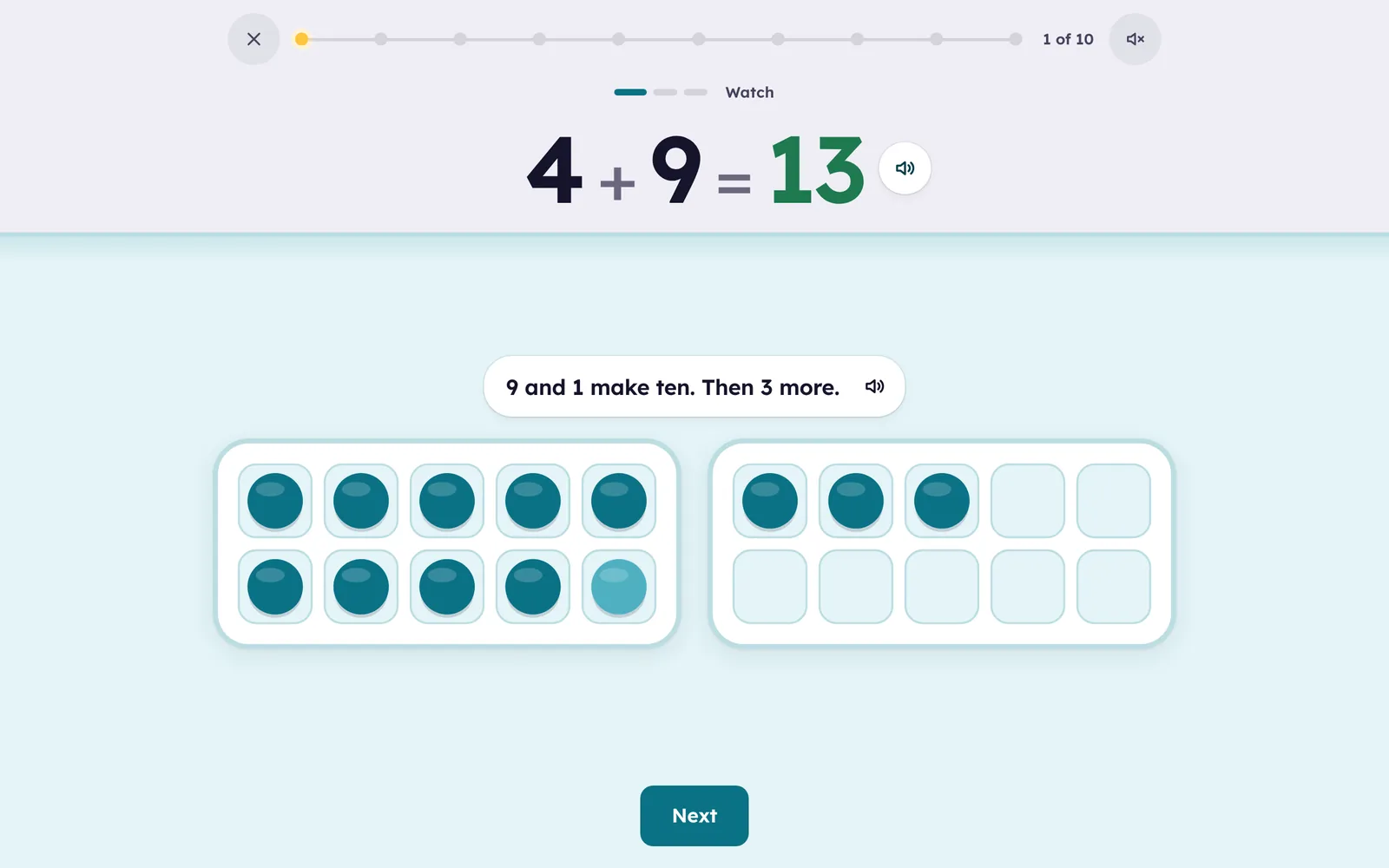
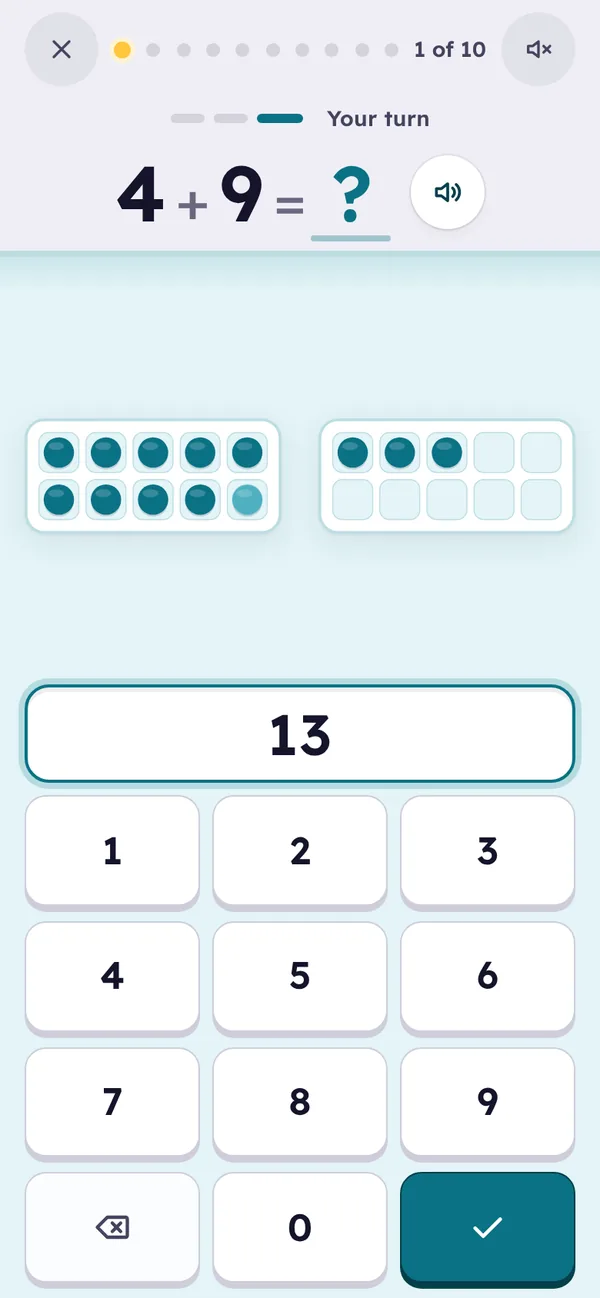
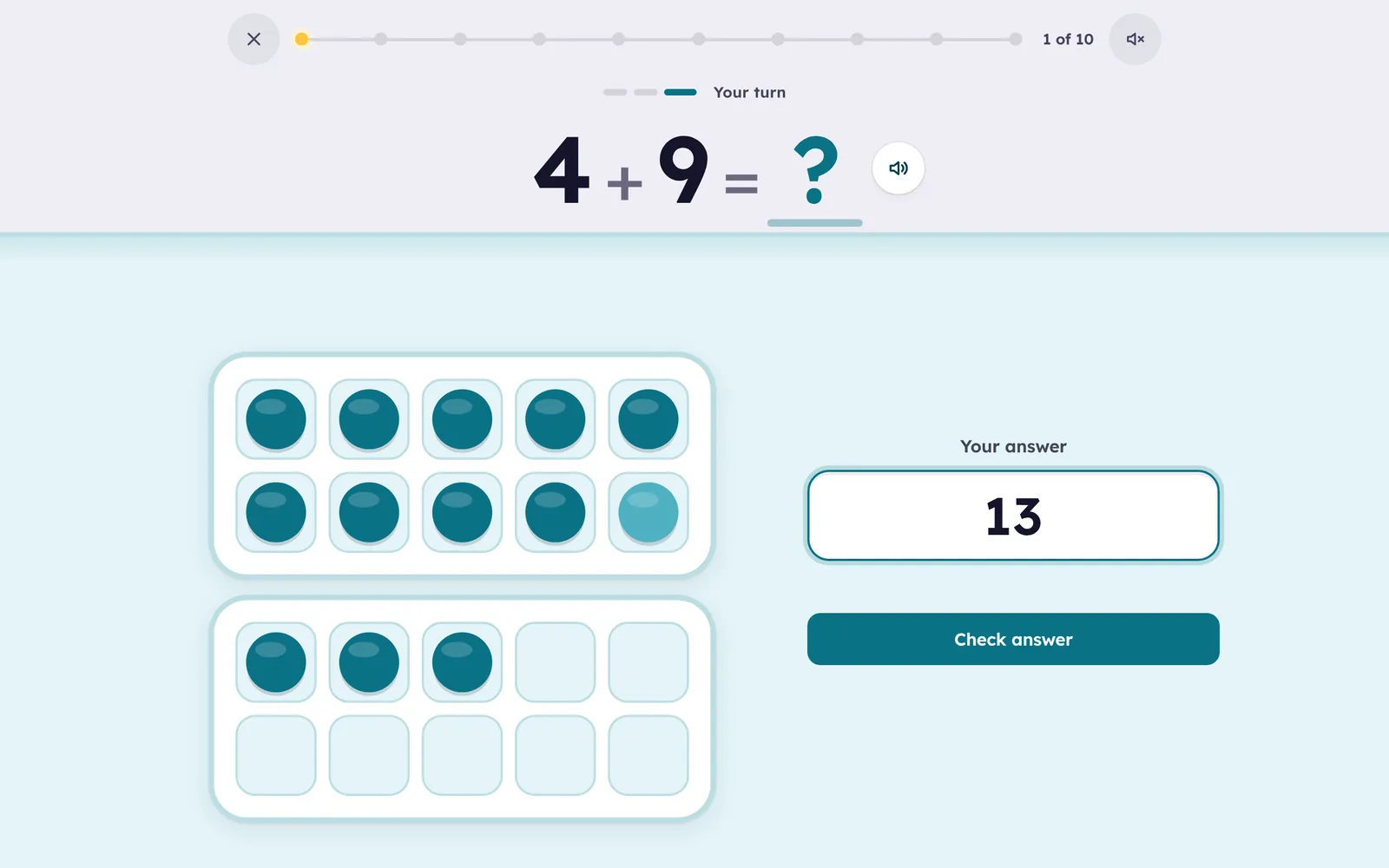
Adding to 20, seen then known. 4 + 9 is nine counters and one more filling a ten frame, with three beside it, so making ten shows itself before anyone asks for an answer.
Seen first, then known
- Every fact starts as a picture: 4 + 9 is nine counters in a ten frame, one of the four filling it, and three beside it, so making ten shows itself.
- All 121 facts to 20, both numbers 0 to 10: the fluency goal for the first years of school.
- A strategy for each fact: one more, doubles, near doubles, pairs that make ten, counting on from the bigger number.
- Practice on paper too. Print a Smart Sheet of the facts your child finds hard, with carrying when they are ready for it, then photograph it and it’s graded for you.
 Cylin Hub
How it teaches
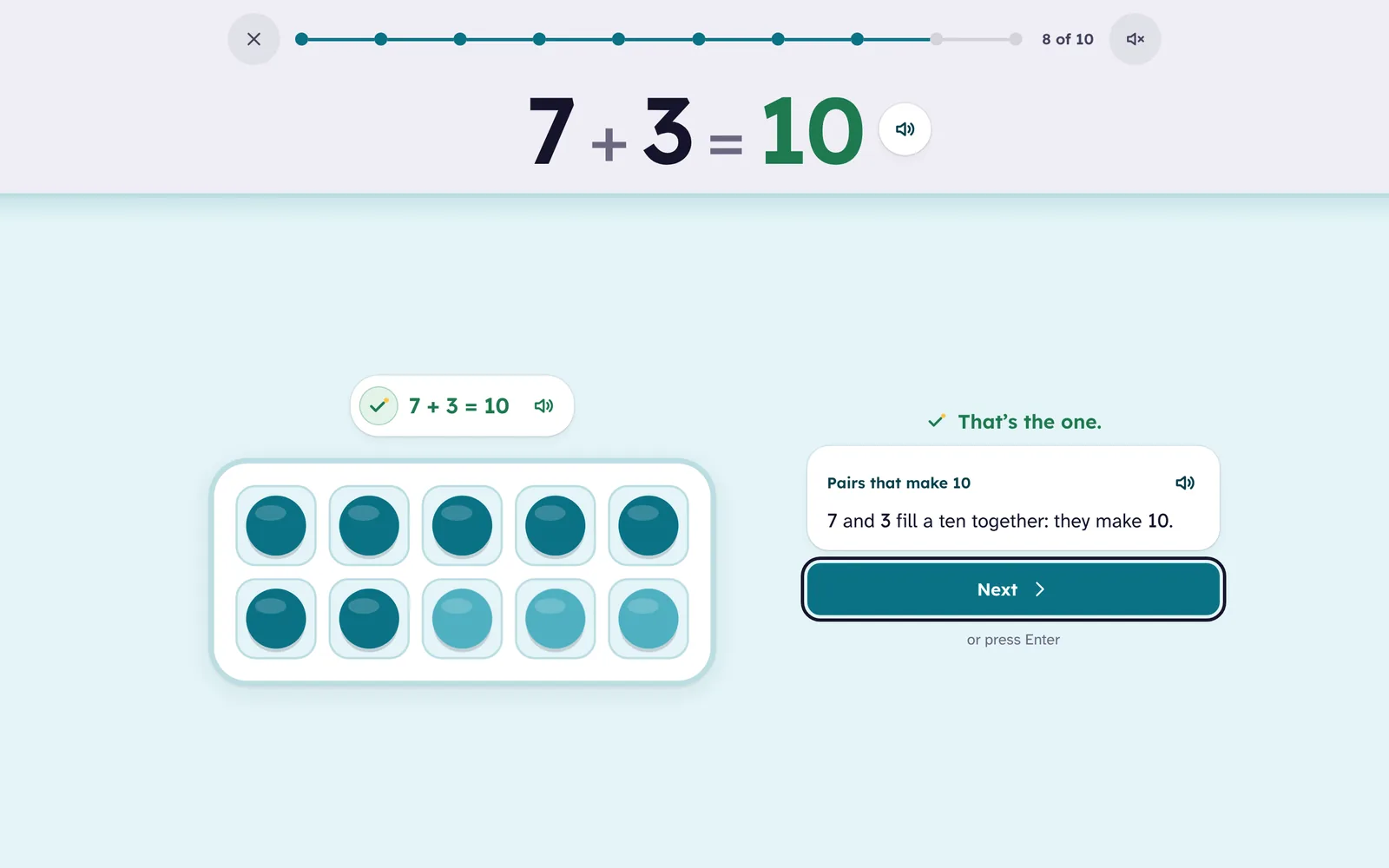
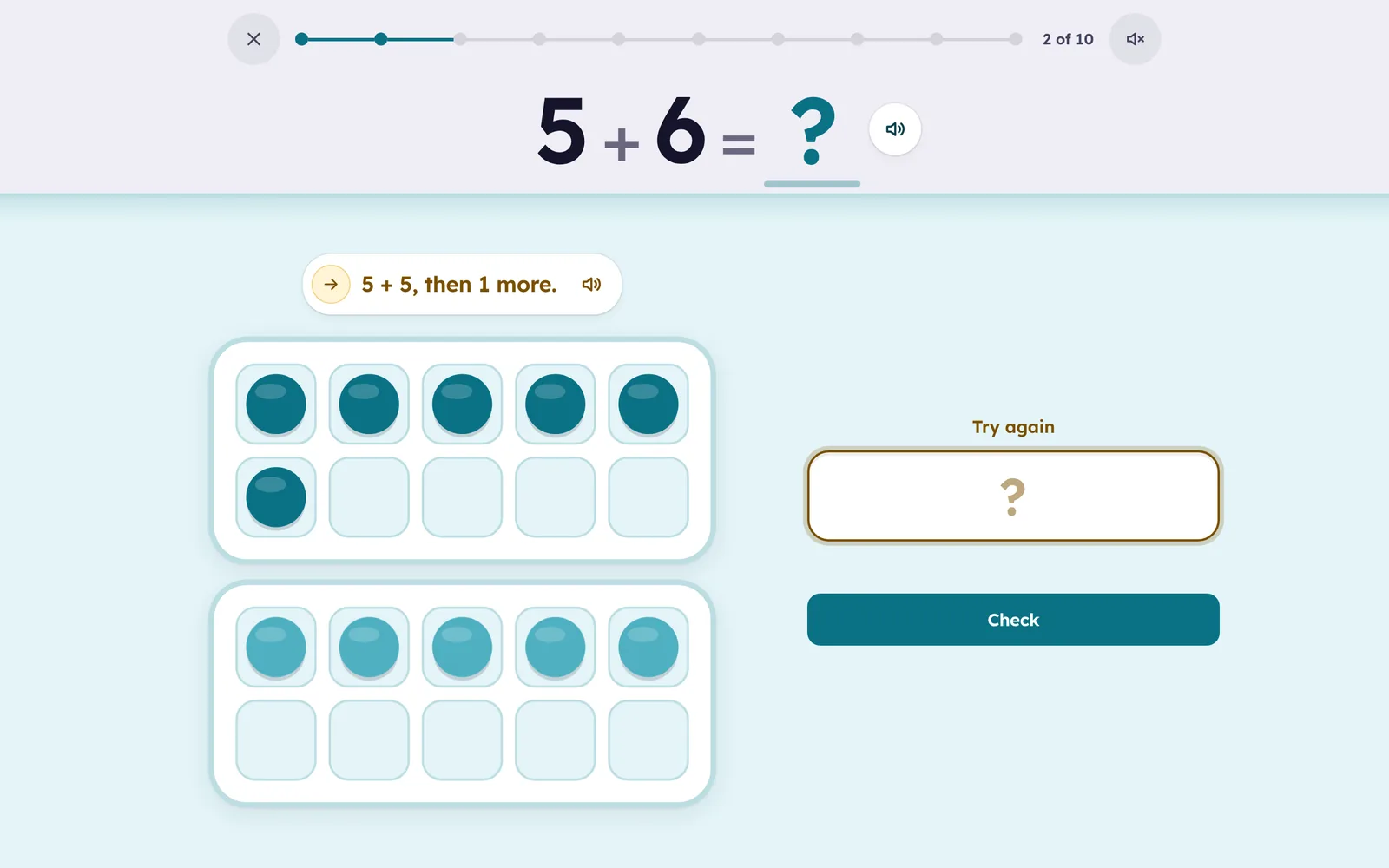
Ten frames first. A new fact is met as counters in frames of ten: the child watches it, finishes it with a tap, then answers it. In Learn a number the child taps to fill the ten, so 7 + 9 becomes 10 + 6 in front of them.
A sensible order. Adding 1, 2 and 10 first, then 5, 9, 3, 4, 8, 6, 7, and adding 0 last. Inside each set the bigger number comes first, so the child counts on: 7 + 2 before 2 + 7. Since 7 + 6 and 6 + 7 are partners, learning one gives the other a head start.
One hint per fact, chosen from the strategies teachers use: one more, a ten and some ones, doubles, near doubles, pairs that make 10, make ten, counting on from the bigger number. Every equation in every hint is checked.
Then fast recall. Once a fact is understood it is practiced as an equation, spaced and mixed with others. A fact moves up only when it is answered right, quickly, and when it is due; a miss brings it back a few cards later.
Questions
What does “beta” mean here?
The app is complete and families use it; we are still polishing and still listening. It is free during the beta, like every Cylin app.
Which facts does it cover?
Both numbers 0 to 10, totals to 20. That is addition facts to 20, the fluency goal for ages 5 to 8. Adding 11 or 12 is place value, not a fact, so it is left to the worksheets and the next apps.
Is it the same as Multiplication?
The same calm screens, answer pad, feedback and learning engine, with everything about the operation rewritten for addition: the pictures, the order, the strategies.
Does it work on a phone?
Yes. The frames and the number pad fit a phone screen, and progress follows the child to a tablet or laptop through the family account.
What parents see
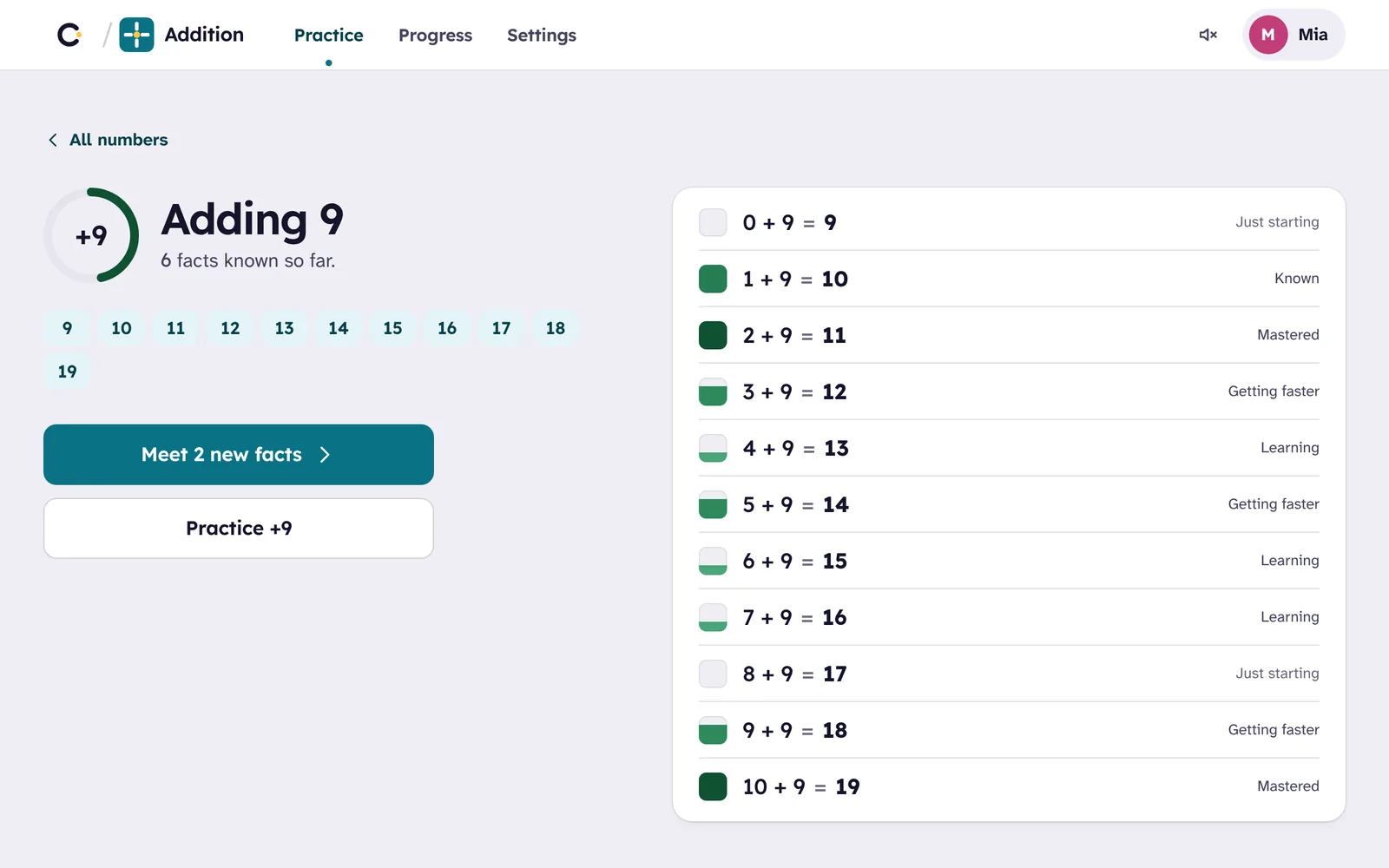
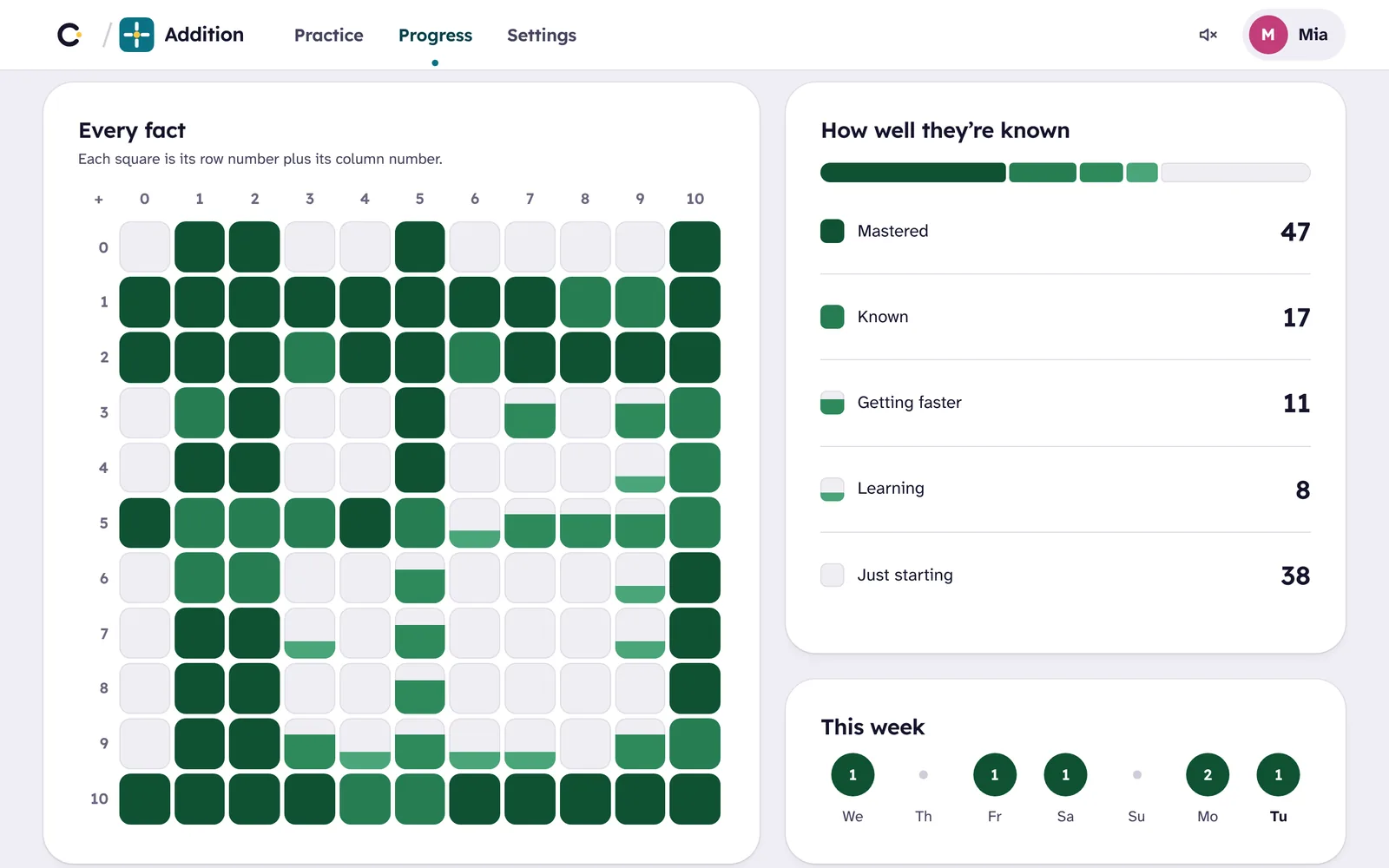
In the app, behind your Cylin parent PIN: every fact in a grid, colored as it is learned, and the Settings with “Print a worksheet”, which opens Cylin Hub with this child and this app already chosen.
In Cylin Hub, beside the other subjects: facts known and facts remembered a week later, the change this week, what the child is working on, the facts worth a look, and a Smart Sheet one tap away. Marked worksheets show with their scores.
 Addition · Leo
- Remembered a week later71
- Still being learned18
- Working onAdding 9
Worth a look
One skill, then the next
From adding to 20 at five to dividing up to 12 × 12 at eleven. Each app builds on the one before, and one family account opens all four.
- AdditionAges 5–8You’re here
 SubtractionAges 6–9
 MultiplicationAges 7–11
 DivisionAges 8–11