



 Smart Worksheets · for the four math apps
From screen to paper. And back
Paper practice usually disappears into a drawer. A Smart Sheet is built from what your child needs, marked from your phone in a minute, and its result joins the child’s record in the Hub, so the next sheet starts from what was missed.
The loop
-
1
Print a Smart Sheet
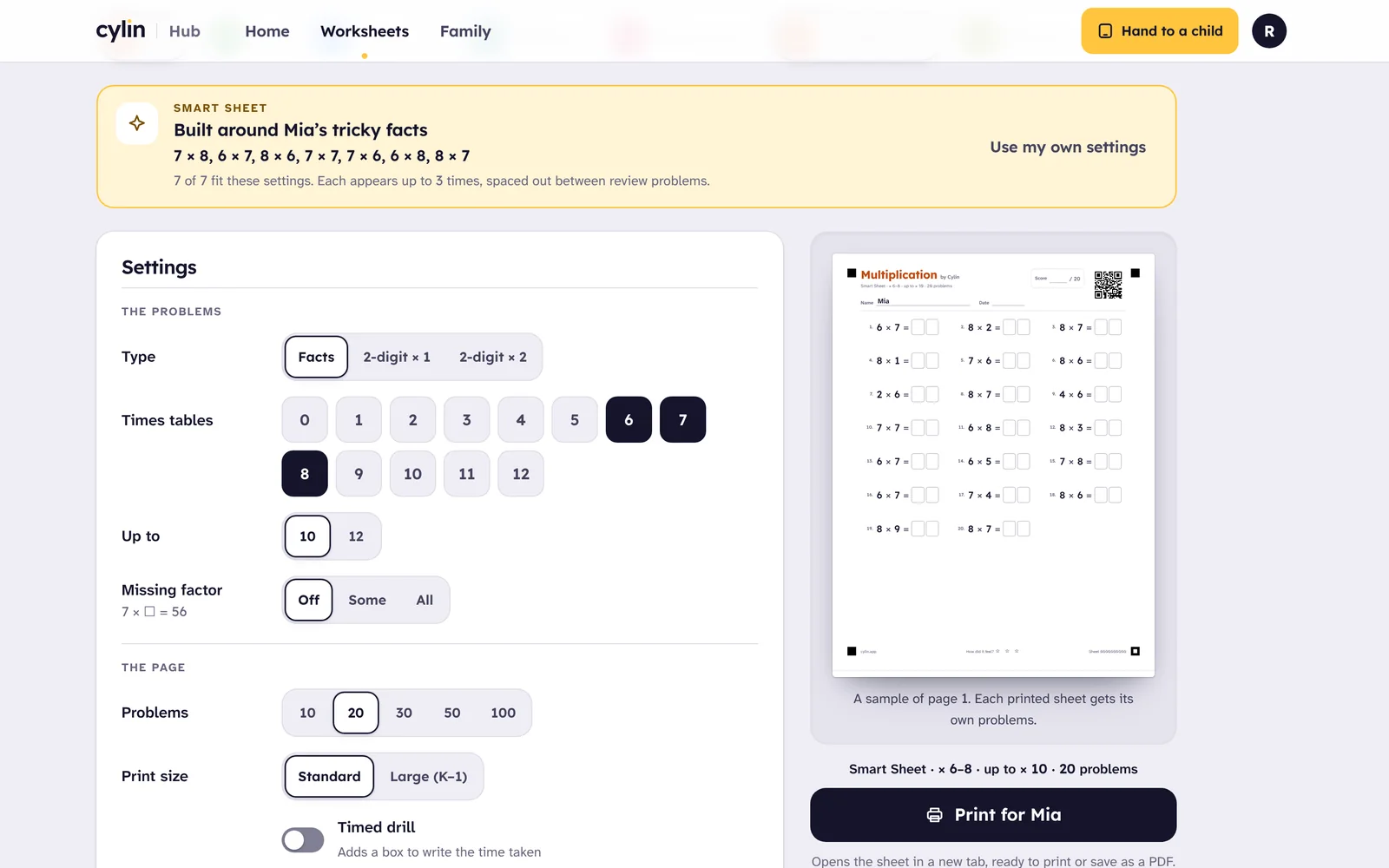
In Cylin Hub, pick a child and an app. A Smart Sheet is built from the facts that child finds hard in the app, mixed with review, and ramps from easy to hard. Or choose the settings yourself: carrying, borrowing, remainders, long division, large print.
-
2
Scan and tap
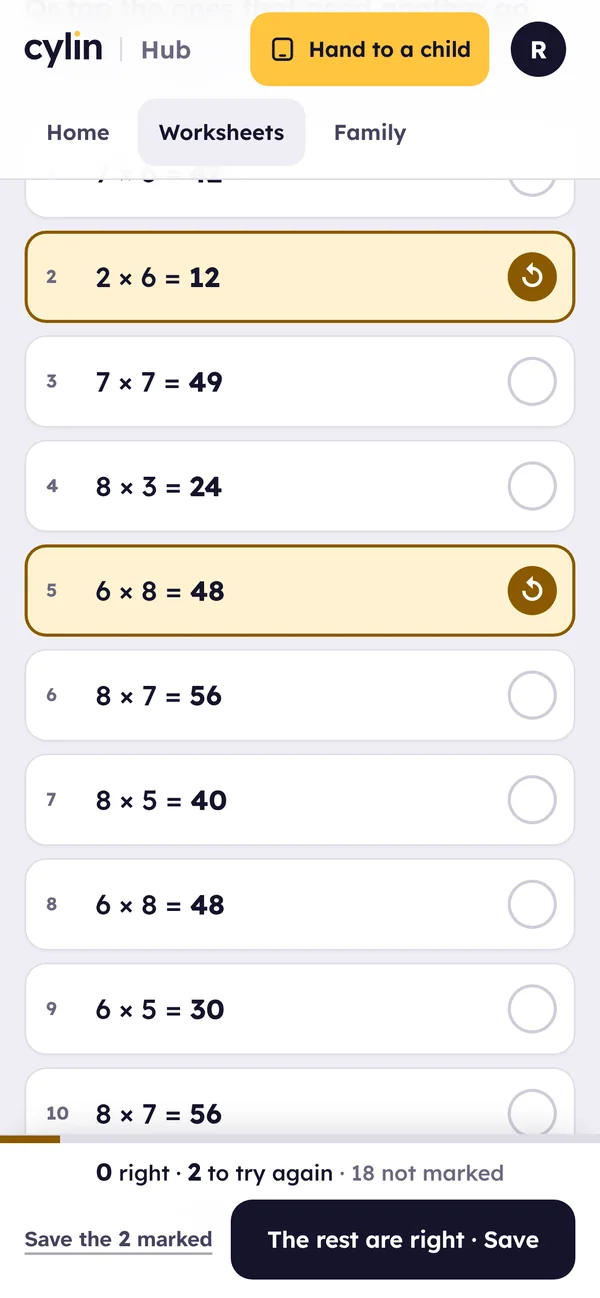
Your child works on paper. You scan the code on the sheet with your phone, enter your parent PIN, tap the answers that need another go and save. The answer key is on a separate last page.
-
3
Or photograph it, and it’s graded for you
Take a photo of the sheet and the Hub reads every answer on your phone and marks it against the answer key. Anything it isn’t sure of, it asks you about before saving. The photo never leaves the phone.
What happens next
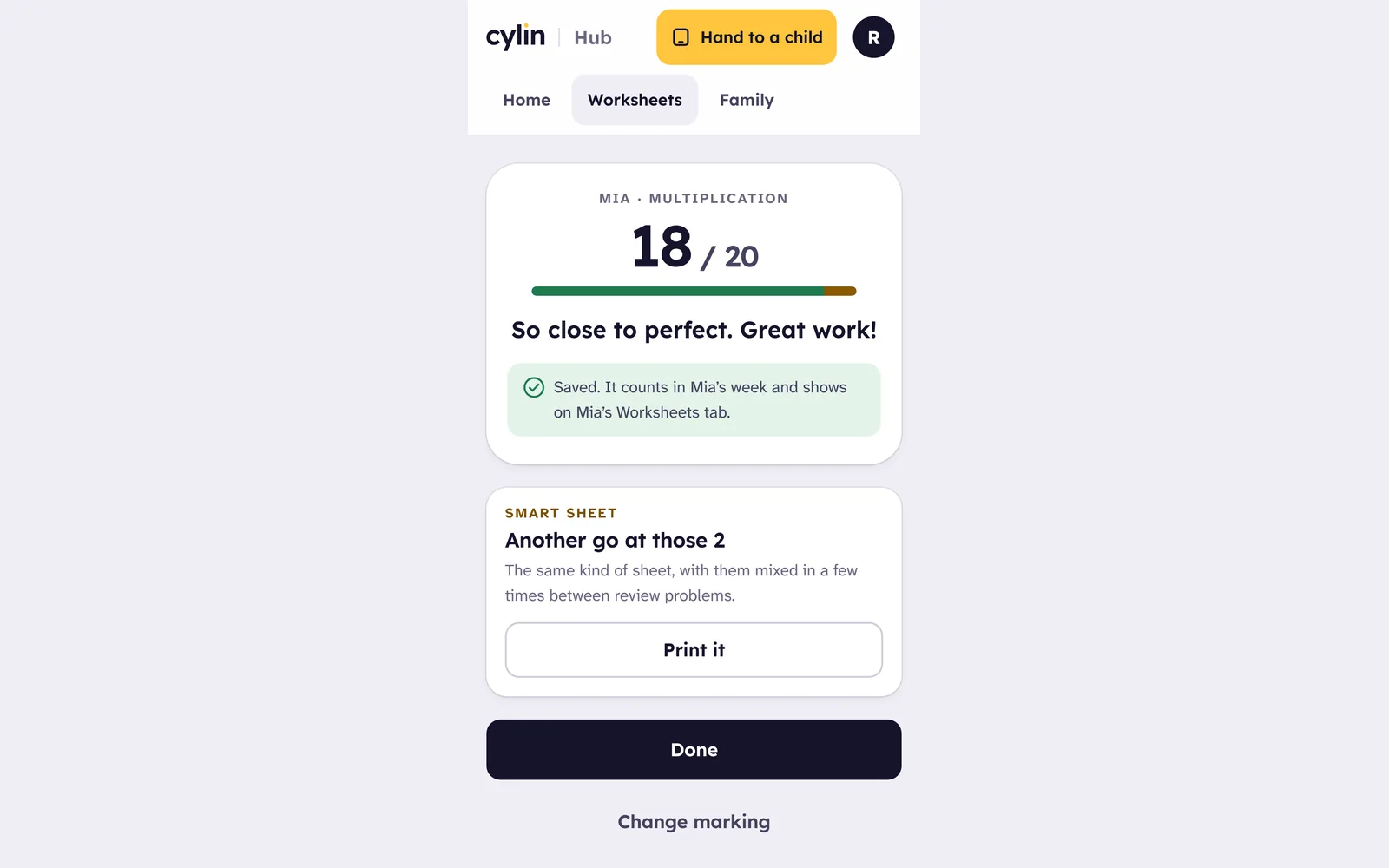
- The score joins the child’s week in the Hub, beside the app’s own report, with the facts that needed another go.
- “Another go at those 2”: one tap prints a new sheet with the missed problems spaced through fresh review.
- “Worth practicing”: when the misses share a pattern, such as borrowing across a zero, a practice sheet for just that pattern is one tap away.
- The app hears about the misses: a fact your child has practiced on screen and missed on paper comes up again sooner in the app, and the next Smart Sheet reads that progress, so paper and screen keep pointing at the same facts.
Only misses go back to the app. A right answer on paper doesn’t move a fact forward, because paper can’t tell a quick recall from careful counting, so the app keeps checking that on screen.
What’s on the sheet
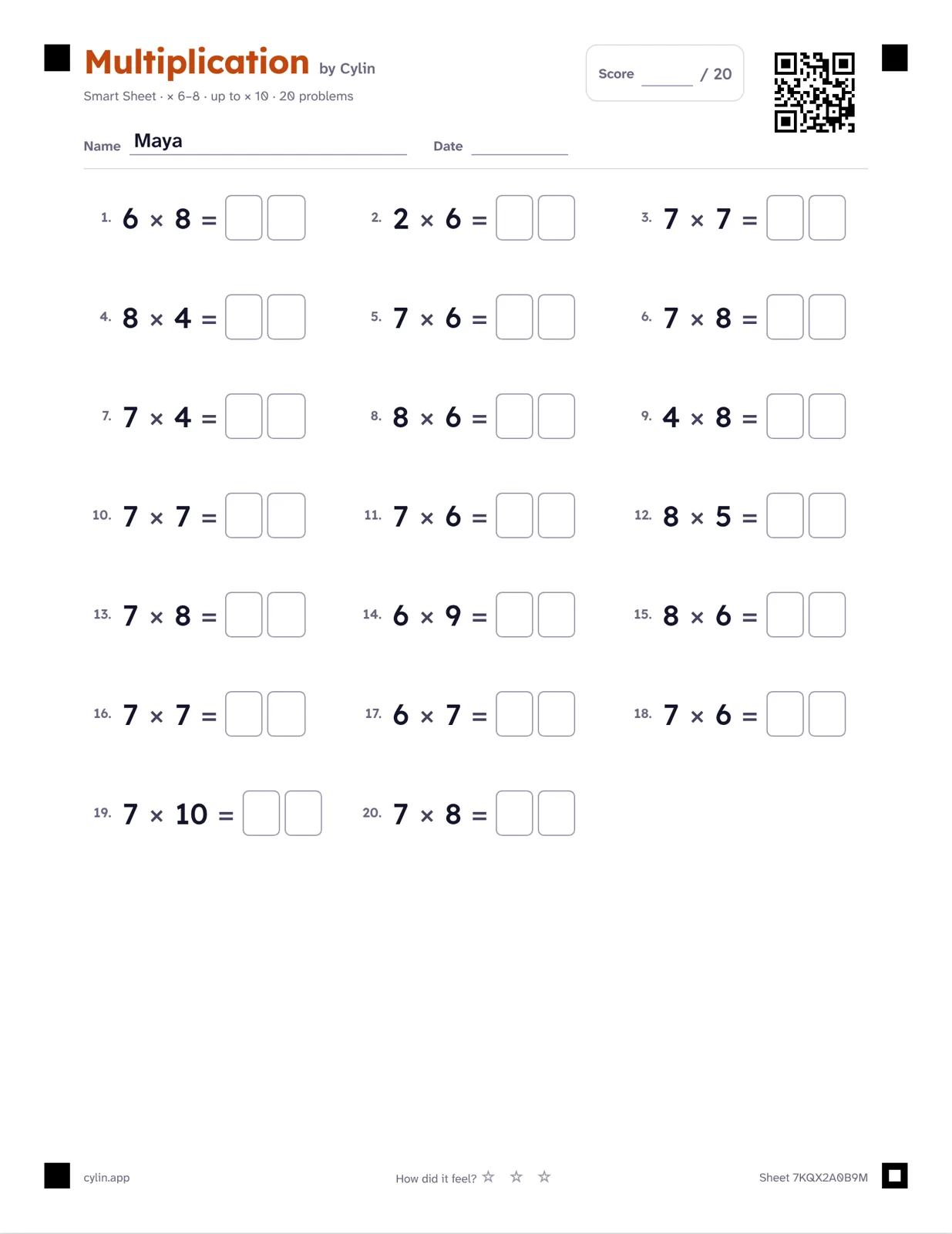
Twenty problems, read row by row, the way children read. Answer boxes sized for a second grader’s handwriting, or large print for the youngest. Boxes never give the answer’s size away.
The wordmark in the app’s color, and the color nowhere else, so the sheet prints well in black and white and uses little ink. Name, date, a score box, and optionally a time box, off by default: timing makes some children anxious, so parents opt in.
A separate answer key on the last page, without the code, so it can’t be scanned by mistake.
“How did it feel? ☆ ☆ ☆” at the foot: a moment of self-checking, not a grade. Feedback after marking praises effort and progress.
Settings, and the teaching behind them
Carrying and borrowing: none, some or all. “All” for focused practice on the hardest step, “some” for review. Borrowing across zeros is its own setting, because 300 − 127 is where regrouping most often breaks down.
Ten friends, doubles and near doubles. Bonds to 10 underpin mental addition; 6 + 6 leads to 6 + 7. Ten friends are always missing-addend problems, 7 + ☐ = 10, so the answer isn’t always ten.
Missing numbers. The inverse relationship, and “=” as balance rather than “the answer goes here”.
Remainders and long division, separate ideas, off by default. Times tables by table, mirroring the per-table progress in Multiplication. From one to a hundred problems, Letter or A4, large print, and a ramp from easy to hard.
Questions
Which apps have worksheets?
Addition, Subtraction, Multiplication and Division. Each app’s Settings has a “Print a worksheet” button that opens Cylin Hub with the child and the app already chosen.
How does a Smart Sheet know what my child finds hard?
It reads the child’s progress in the app and applies the app’s own “needs more practice” rule: facts that have been tried, aren’t mastered yet, and were missed lately or took a while. Up to eight of those appear up to three times each, about three fifths of the sheet, spread among review problems.
Can my child mark their own sheet?
No. Scanning and photo grading sit behind your parent PIN, and the answer key prints on a page of its own.
How good is photo grading?
Cautious on purpose. It reads the digits on your phone and asks you about every answer it isn’t sure of before anything is saved, because a misread that marks a right answer wrong is the fastest way to lose a child’s trust. Expect to confirm a few answers per sheet, more with faint pencil. You can always mark by tapping instead.
What is in the code on the sheet?
A random ten-character ID and nothing else. Scanning it shows the sheet only to a parent in your family. A stranger who scans a lost sheet sees nothing.
Is there a limit?
Two hundred sheets a family a day, which is more than any printer wants to do. Everything is free during the beta.




Print one tonight
Create a family account, add your child, and print a Smart Sheet from Cylin Hub. Free while we’re in beta.