
 Cylin Hub · for parents and guardians
One family. Every subject. Progress you can understand
Cylin Hub is where a family lives: the children, the parents, every app’s progress, the worksheets, and the week at a glance. Children never need an email or a password.
How it works
- Step 1
Set up your family
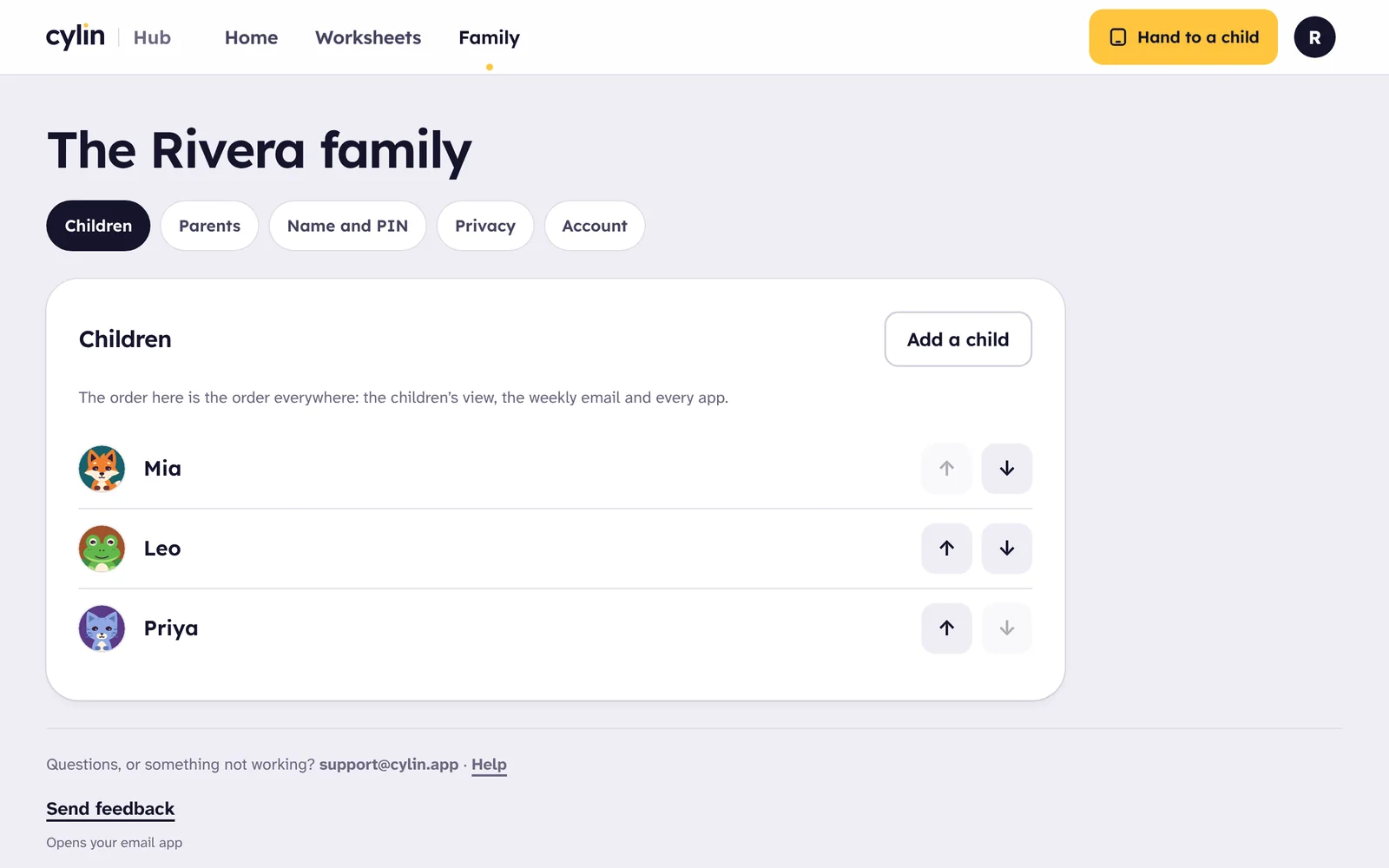
Add each child once, with a first name or nickname and a picture. Invite another parent or guardian by email; they see and manage the children as you do.
- Step 2
Hand the tablet to a child
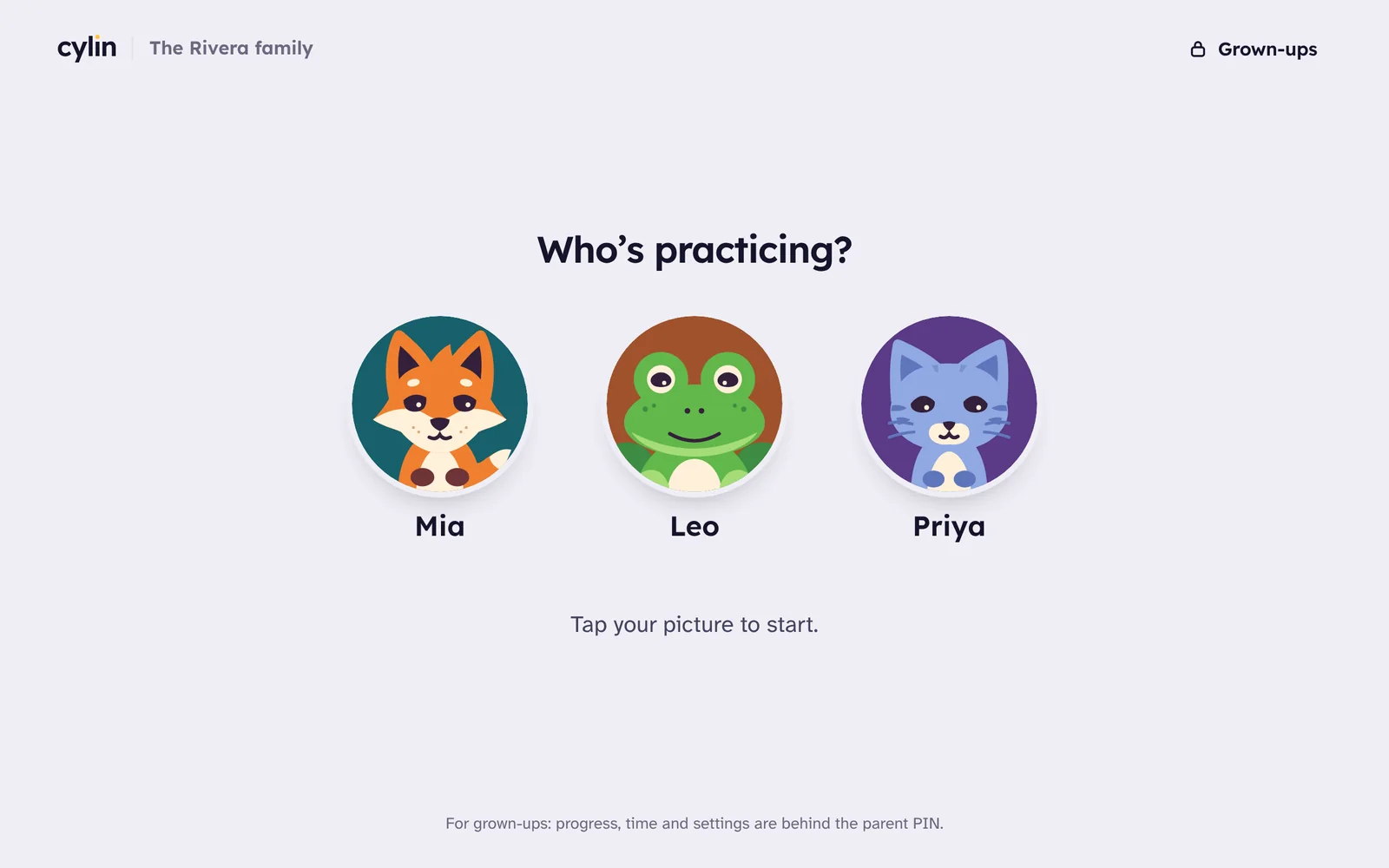
On any device where you’re signed in, a child taps their name in any Cylin app and carries on where they left off. One child at a time per app: open it on another device and the first one pauses.
- Step 3
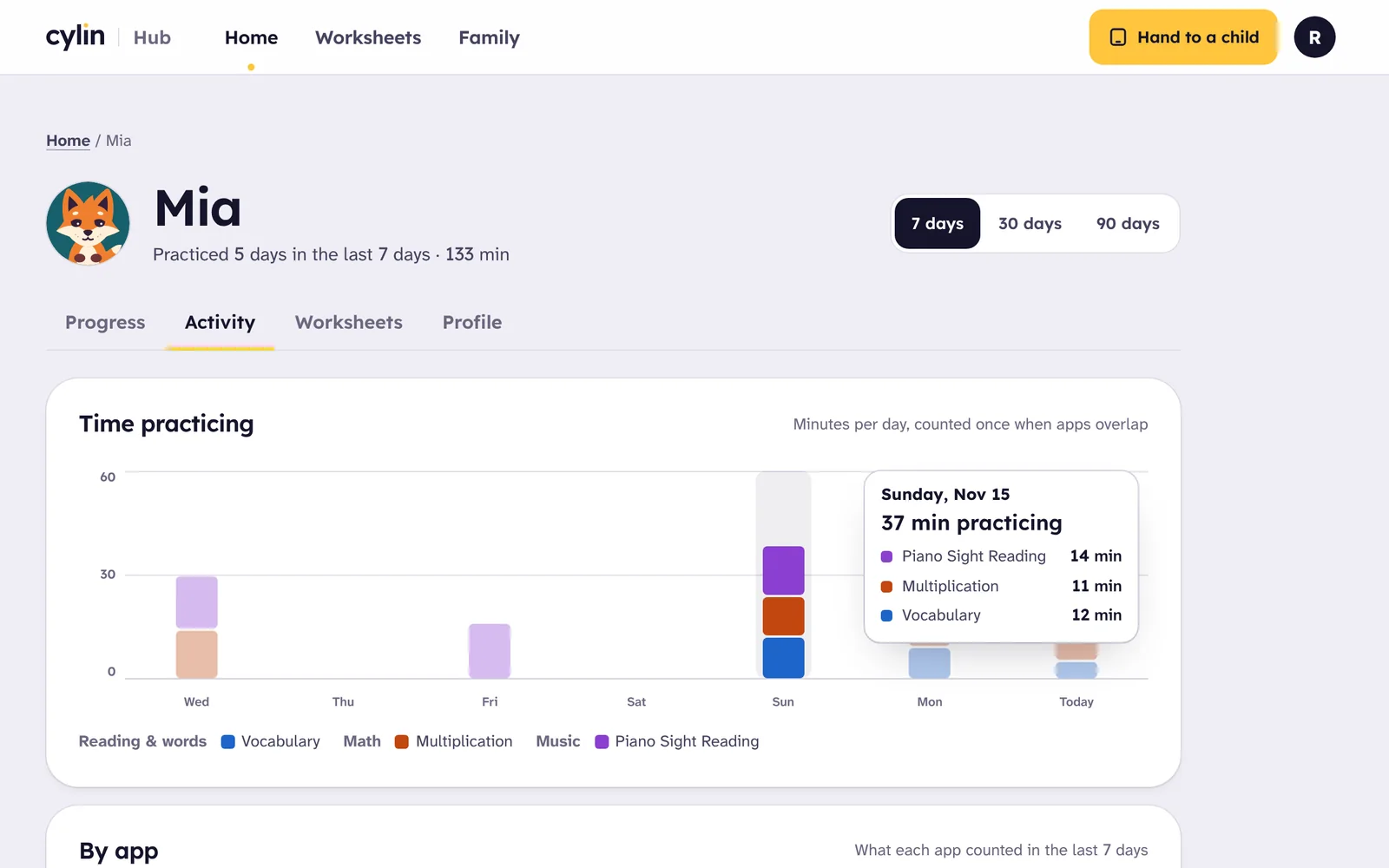
See the week in one place
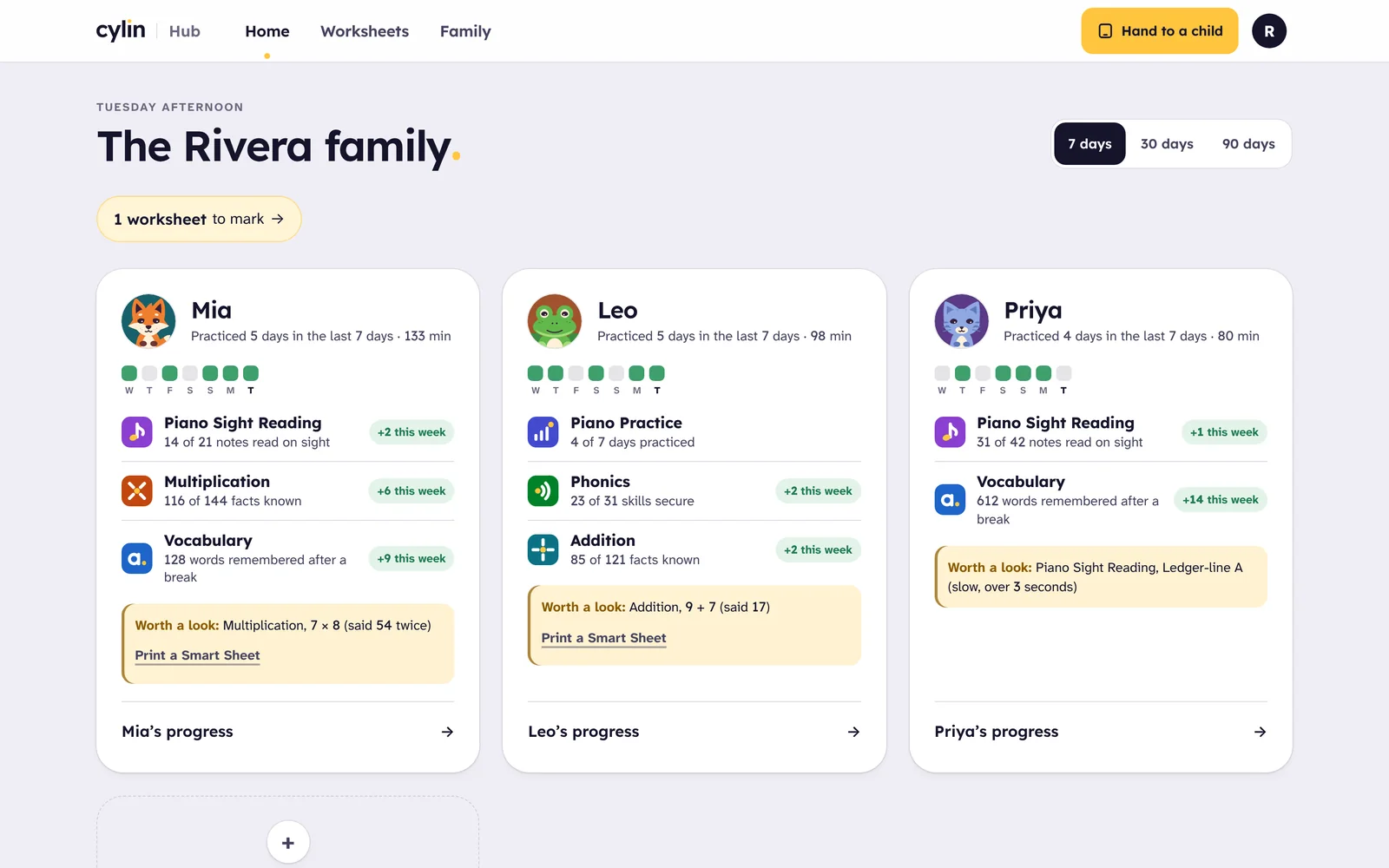
Minutes practiced by child, by day and by app for seven, thirty or ninety days, what each app reports from finished sessions, and the worksheets marked this week.
Each app, in its own words
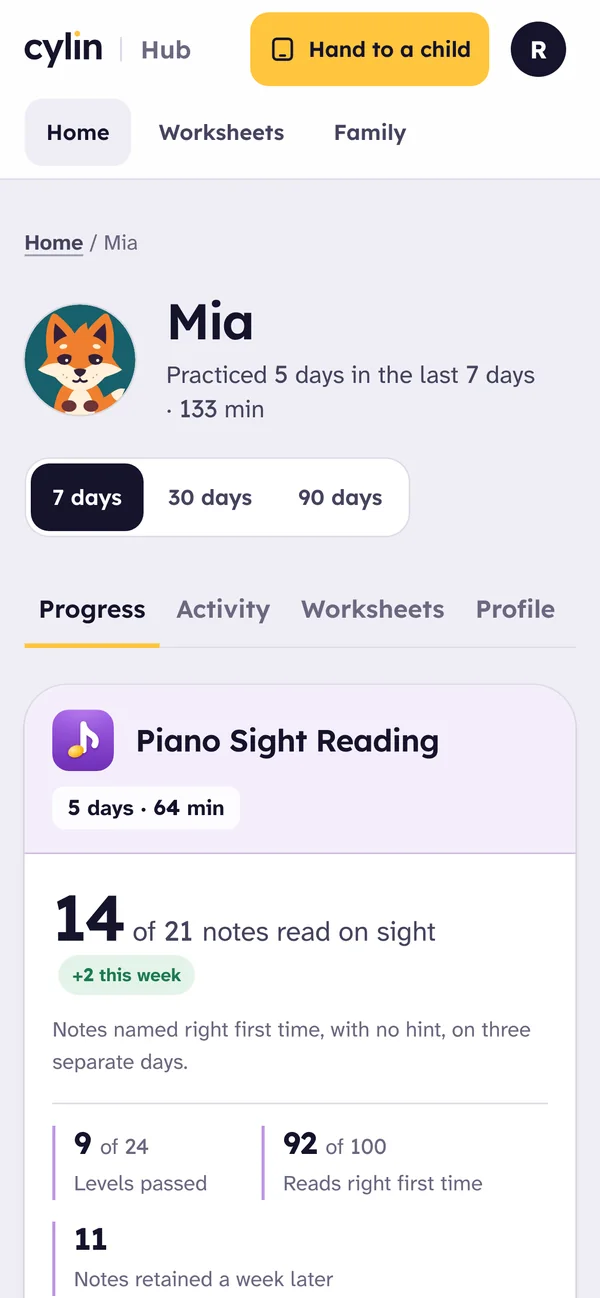
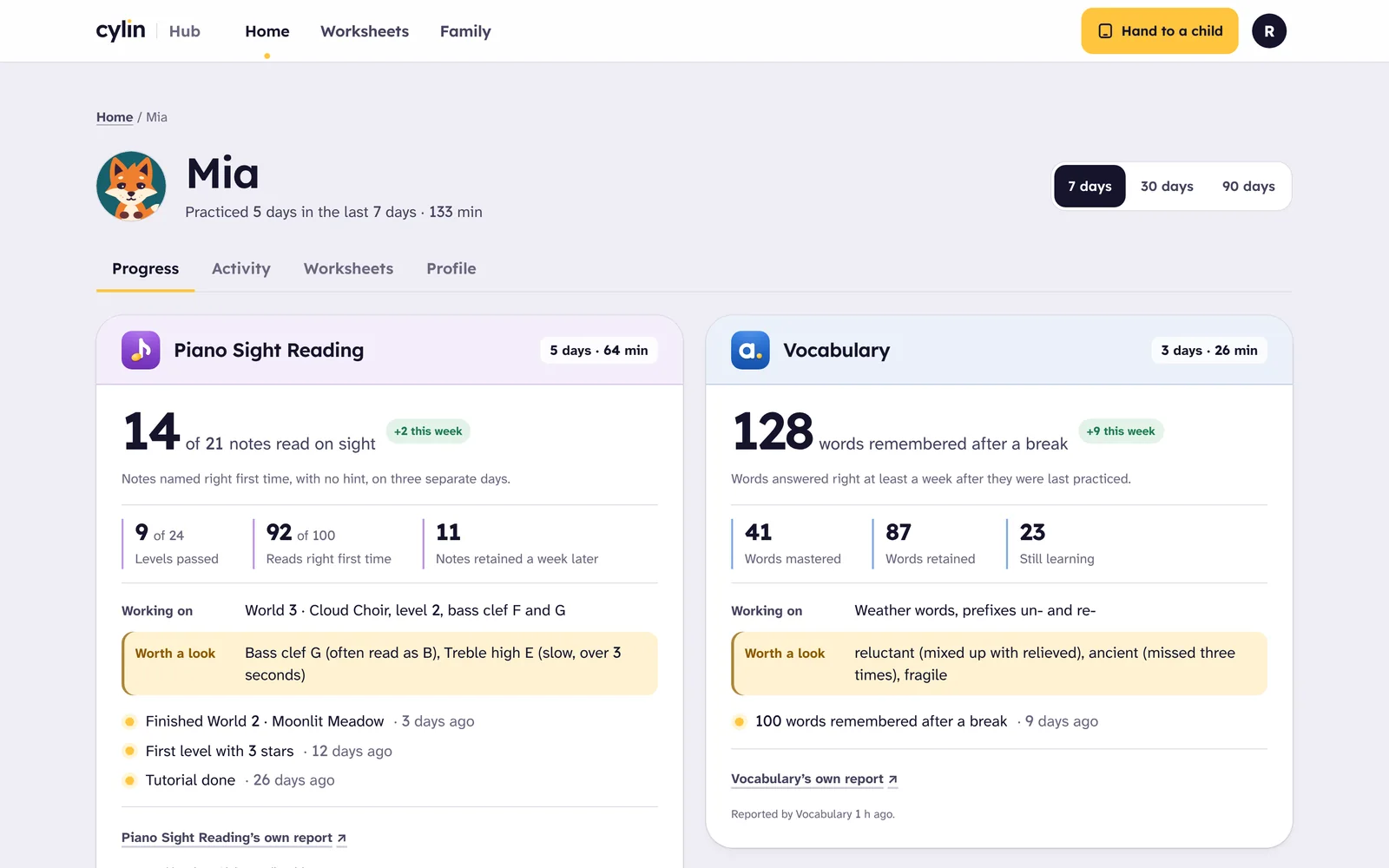
- Piano Sight Reading: notes read on sight, out of the notes met, with this week’s reading accuracy and levels passed.
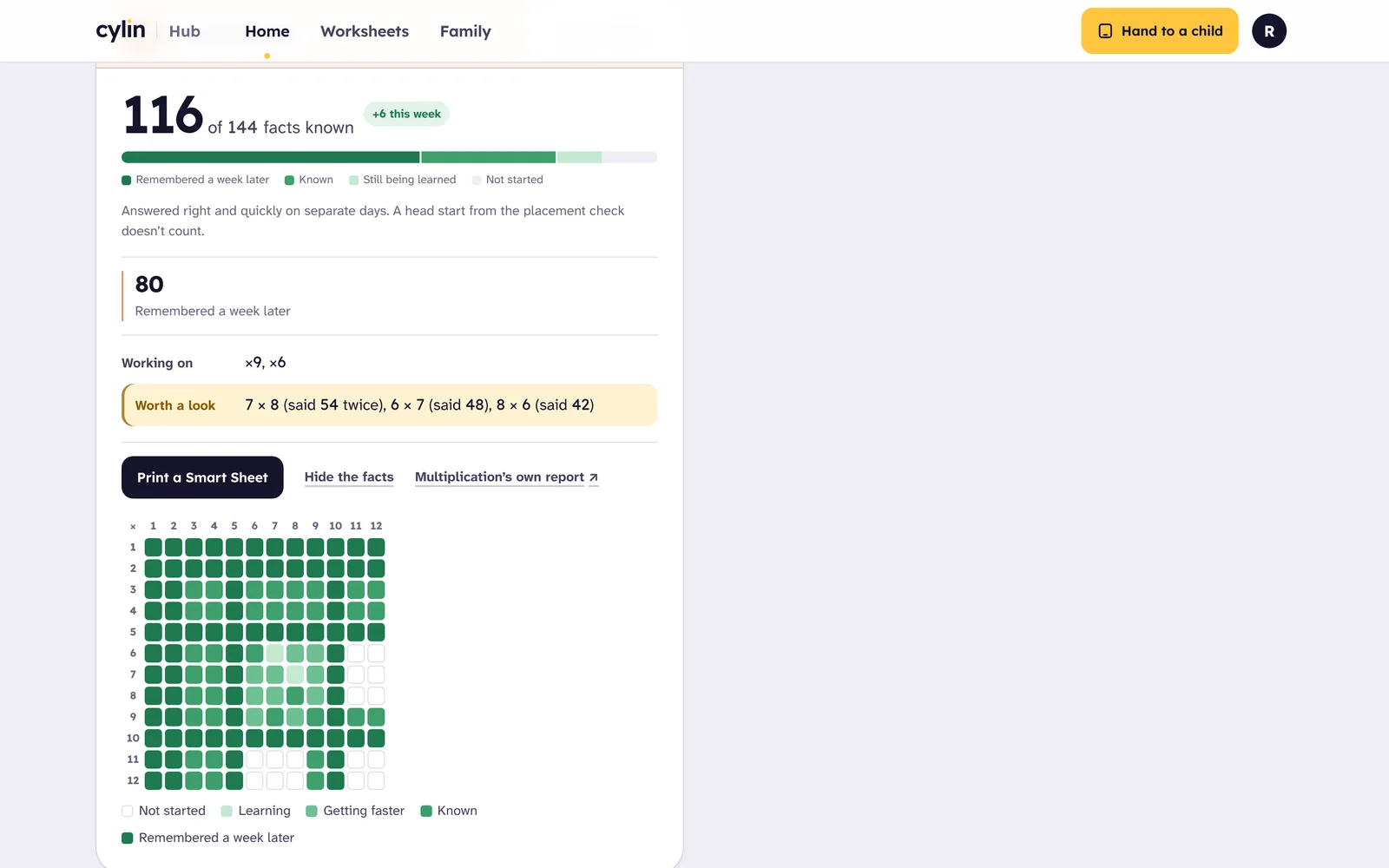
- The math apps: facts known and facts remembered a week later, out of 121 or 144, with every fact in a grid you can open.
- Vocabulary: words remembered after a break, words mastered and retained, and the words worth a look.
- Phonics: skills secure out of skills introduced, the lesson reached and words read.
- Piano Practice: practices and minutes, counted once on the clock.
Nothing is blended into one score. Each app says what it measures and how, and the Hub shows the change this week beside it.
What’s inside
Home. A card per child: days practiced and minutes, the week as a strip of days, each app’s headline and its change, and one thing worth a look, with a Smart Sheet one tap away for the math apps.
A page per child. Progress, Activity, Worksheets and Profile: which apps the child sees, an on-screen keypad, read-aloud, and remove.
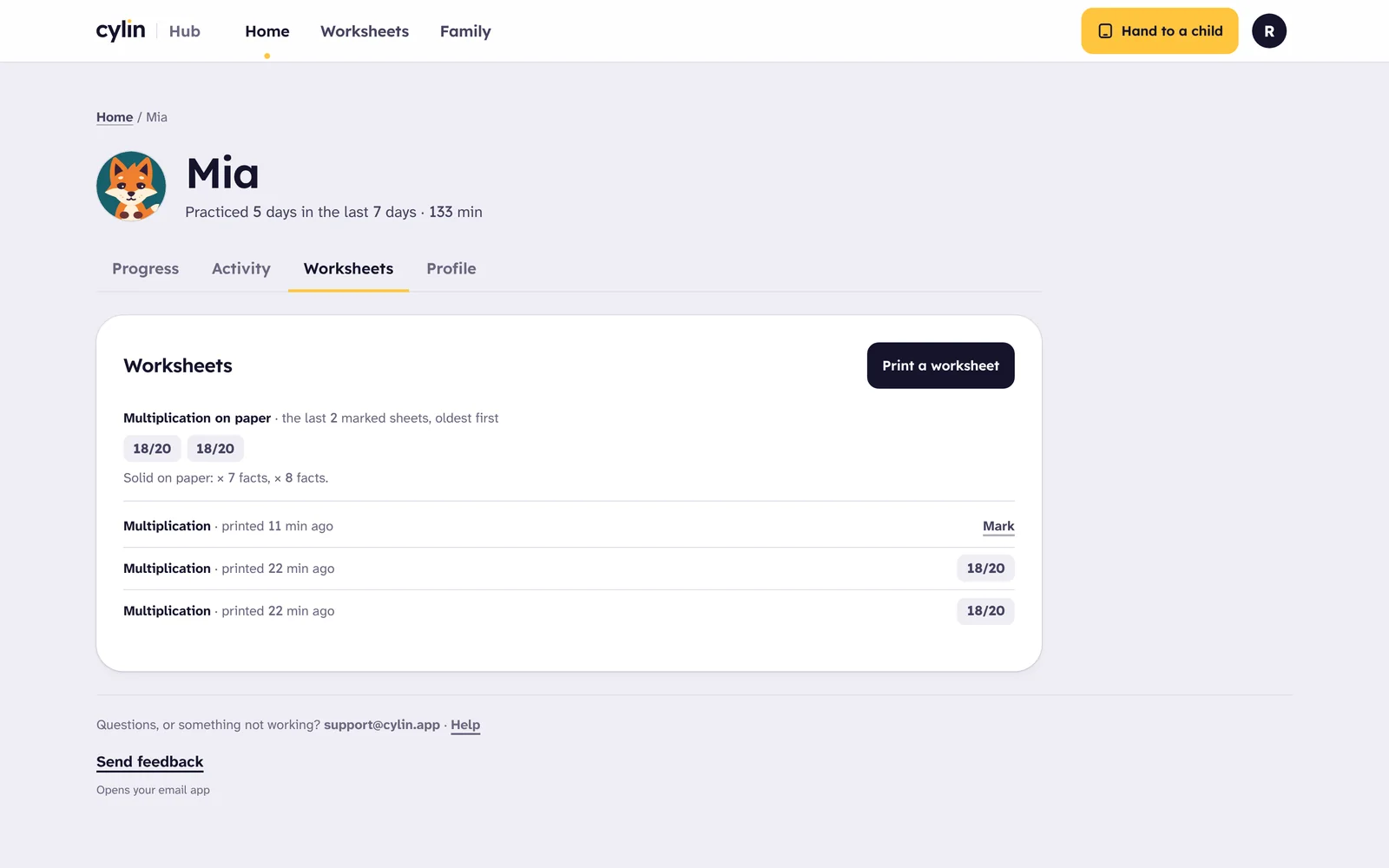
Worksheets. Print a Smart Sheet or choose the settings; photograph a finished sheet and it’s graded for you, or scan its code and tap the misses. How the worksheets work.
Family. Children, parents, the family name and PIN, privacy, and your account: the weekly email, and deleting everything at once if you ever want to.
Questions
How do my children start?
Create a family account and add your children. On any tablet or computer where you’re signed in, they open any Cylin app and tap their name. They never need their own accounts or passwords.
What is the parent PIN for?
It keeps grown-up areas closed to children: settings, progress details, printing and marking worksheets. The apps use the same PIN for their own grown-up gates. It locks itself after a quarter of an hour, and too many wrong tries lock it for longer.
Can siblings share a device?
Yes. Each child has their own name, picture and progress in every app, and their own worksheets. “Hand to a child” shows a view with names and apps only.
Can I use it on a phone?
Yes. The Hub works on a phone, which is also where you scan and mark worksheets.
What do you collect about my child?
Only what the apps need: your email for the family account, your children’s first names or nicknames, and their progress and practice time, plus simple records of what happened in an app that we use to fix problems. More in the privacy policy.
Private by design
Clear promises we can keep. The full privacy policy.
- No logins for childrenA child is a first name and a picture that you chose. No email, no password.
- Only what’s neededYour email, your children’s first names and their learning progress.
- Behind a PINSettings, progress details and worksheet marking are for grown-ups; the children’s view shows names and apps only.
- No ads, no third-party trackingNo advertising and no outside analytics. Nothing for sale inside the apps.

Start with one skill
Create a family account, add your children and open any app. Free while we’re in beta, no card needed.